How to Protect Yourself Online in 2026: A Simple Digital Safety Guide for Every American
Published: June 2026 | Reading Time: 10 Minutes | Category: Digital World
Let’s start with a number that should stop you cold.
In 2025, Americans lost $20.9 billion to cybercrime. That is not a typo. Twenty point nine billion dollars — stolen from real people, in real cities like New York, Los Angeles, Houston, Chicago, Miami, Dallas, Phoenix, Seattle, Denver, and Boston — not from big corporations alone, but from everyday Americans sitting at their kitchen tables, checking email on their phones, or shopping online after a long shift at work.
The FBI’s Internet Crime Complaint Center received more than 1 million complaints in a single year for the first time in its 25-year history. That means roughly one American files a cybercrime complaint every 31 seconds.
Here is what makes this personal: the most targeted victims were not executives or tech companies. They were seniors in Florida and Arizona who trusted a phone call. They were college students in Seattle and Austin who clicked the wrong link. They were working parents in Nashville and Atlanta who used the same password on every account.
This guide is written for all of them — and for you. Whether you are 16 or 76, whether you live in a studio apartment in San Francisco or a house in rural Ohio, the threats are real and the solutions are simple. You do not need to be a tech expert. You just need to know what to do — and start today.
 What You Will Learn in This Guide
- Section 1 — Why Cybercrime Is Now an American Epidemic
- Section 2 — Who Is Being Targeted? (Every Age, Every City)
- Section 3 — The 9 Most Dangerous Online Threats in 2026
- Section 4 — Your 8-Step Online Protection Plan
- Section 5 — Safe Internet Habits for Specific Situations
- Section 6 — Real Stories from Real Americans
- Section 7 — Free USA Resources — Where to Get Help Right Now
- Section 8 — Quick Reference Safety Checklist
- FAQ — Your Most Common Digital Safety Questions Answered
Section 1 — Why Cybercrime Is Now an American Epidemic
Cybercrime used to feel like something that happened to other people — big banks, government agencies, or companies you read about in the news. That world is gone.
Today, criminals do not need to break into a building. They do not need to carry a weapon. They just need your email address, your phone number, or a moment of distraction on your part — and they can empty your bank account, steal your identity, or lock your computer for ransom before you finish your morning coffee.
The scale of what is happening in America right now is staggering:
| Statistic | Number | Source |
|---|---|---|
| Total US cybercrime losses in 2025 | $20.9 Billion | FBI IC3 2025 Report |
| Total complaints filed with FBI in 2025 | 1,008,597 | FBI IC3 2025 Report |
| Losses by Americans aged 60 and older | $7.7 Billion | FBI IC3 2025 Report |
| Investment fraud losses (largest single category) | $8.6 Billion | FBI IC3 2025 Report |
| Business email compromise losses | $3 Billion | FBI IC3 2025 Report |
| Tech support scam losses | $2.1 Billion | FBI IC3 2025 Report |
| Phishing emails sent every single day — worldwide | 3.4 Billion | Zensec / StationX 2026 |
| Percentage of phishing emails now AI-generated | 82.6% | Zensec Research 2025 |
| Cyberattack happens every | 39 Seconds | Verizon DBIR 2025 |
| Global cybercrime cost in 2025 | $10.5 Trillion | Cybersecurity Ventures |
Let that last number land: $10.5 trillion. If cybercrime were a country, it would be the third-largest economy on Earth — behind only the United States and China.
And the criminals are getting smarter, faster. More than 82% of phishing emails are now written by artificial intelligence, which means they no longer contain the bad grammar and obvious red flags you were taught to look for. They sound professional. They sound like your bank. They sound like the IRS. They sound like your boss.
This is not meant to scare you into paralysis. It is meant to wake you up — because the good news is that most cybercrime is entirely preventable with a handful of simple habits that take minutes to set up.
Section 2 — Who Is Being Targeted? Every Age, Every City
One of the most dangerous myths about online crime is that it only targets careless people or tech beginners. The truth is that criminals target everyone — and they tailor their attacks specifically to your age, your habits, and your vulnerabilities.
| Age Group | Common US Cities | Top Threat | Most Common Scam | Average Loss |
|---|---|---|---|---|
| Teens (13–17) | Los Angeles, Houston, Chicago | Social media account takeover | Fake gaming giveaways, Discord scams | $200–$800 |
| Young Adults (18–35) | New York, Austin, Seattle, Denver | Password theft, identity fraud | Phishing emails, fake job offers | $1,000–$5,000 |
| Working Adults (35–55) | Chicago, Dallas, Atlanta, Nashville | Business email compromise | Fake boss emails, invoice fraud | $5,000–$50,000 |
| Parents (30–50) | Phoenix, San Antonio, Charlotte | Home WiFi attacks, family scams | Fake school alerts, child identity theft | $2,000–$15,000 |
| Seniors (60+) | Florida, Arizona, Nevada, Texas | Investment fraud, romance scams | Fake tech support, IRS impersonation | $38,000+ average |
Notice that seniors in Florida, Arizona, and Nevada face the highest average losses — $7.7 billion in 2025 alone, despite representing only about 20% of the US population. This is not because they are less intelligent. It is because criminals specifically design elaborate, long-running scams that build false trust over days or even weeks before striking.
Meanwhile, working adults in cities like Chicago, Dallas, and Atlanta are increasingly targeted through their workplace email — fake messages that look like they come from their CEO, their bank, or a trusted vendor.
The geography matters too. High-population states like California, Texas, Florida, and New York consistently rank among the top states for cybercrime complaints — simply because there are more people online, more transactions happening, and more targets available.
Section 3 — The 9 Most Dangerous Online Threats in 2026
Before you can protect yourself, you need to know what you are protecting against. Here are the nine threats that are causing the most harm to Americans right now — explained in plain language, without tech jargon.
1. Phishing Emails
A phishing email pretends to come from someone you trust — your bank (Chase, Bank of America, Wells Fargo), Amazon, PayPal, the IRS, or the Social Security Administration. It creates urgency: “Your account has been suspended. Click here immediately.” The link takes you to a fake website that steals your login credentials or installs malware on your device. With AI now writing these emails, they are increasingly difficult to distinguish from the real thing.
2. Phone Scams (Vishing)
You get a call. The caller ID says it is from the IRS, Microsoft, your bank, or Social Security. The voice sounds professional and serious. They tell you that you owe back taxes, that your Social Security number has been compromised, or that your computer has a virus. They need you to act right now — with a gift card, a wire transfer, or remote access to your computer. This is one of the most devastating scams hitting seniors across Florida, Texas, Arizona, and California.
3. Investment and Cryptocurrency Fraud
Someone contacts you — often through social media or a dating app — and eventually mentions an incredible investment opportunity in cryptocurrency. They show you screenshots of massive returns. They help you set up an account and even let you see fake “profits” growing. When you try to withdraw, there are fees, then more fees, and then they vanish. This “pig butchering” scam accounted for a majority of the $8.6 billion in investment fraud losses in 2025.
4. Ransomware
You click an attachment or a link, and suddenly all your files are locked. A message appears demanding payment — usually in cryptocurrency — to get them back. Small businesses in cities like Nashville, Denver, and Portland have been hit hard by ransomware, sometimes losing years of data and tens of thousands of dollars.
5. Identity Theft
Someone gets hold of your name, Social Security Number (SSN), date of birth, and address — and becomes you. They open credit cards, take out loans, file tax returns in your name, and collect your tax refund. You find out months later when a collection agency calls, or when the IRS tells you someone already filed your taxes.
6. Fake Tech Support
A pop-up appears on your screen warning that your computer has a critical virus. It includes a phone number to call immediately. You call, and a “technician” asks for remote access to your computer to fix the problem. Once they have access, they can steal your files, install spyware, or charge you thousands for fake services. This scam alone caused $2.1 billion in losses in 2025.
7. Social Media Account Takeover
Someone hacks into your Facebook, Instagram, or TikTok account and uses it to scam your friends and family — or holds your account for ransom. For small business owners who rely on social media for customers, losing an account can mean losing income.
8. Public WiFi Attacks
When you connect to the free WiFi at Starbucks, McDonald’s, O’Hare International Airport, LAX, or your local library, you may be sharing a network with someone who is quietly capturing your data. This technique, called a “man-in-the-middle attack,” can expose your passwords, banking information, and private messages.
9. Deepfake and AI Impersonation
This is the newest and fastest-growing threat. Using artificial intelligence, criminals can clone the voice of your son, your daughter, or your grandchild and call you in a panic saying they have been arrested or injured and need money immediately. They can also create video calls that look like your company’s CEO. Deepfake-enabled fraud already resulted in one single case where a company lost $25 million in a single transaction.
Section 4 — Your 8-Step Online Protection Plan
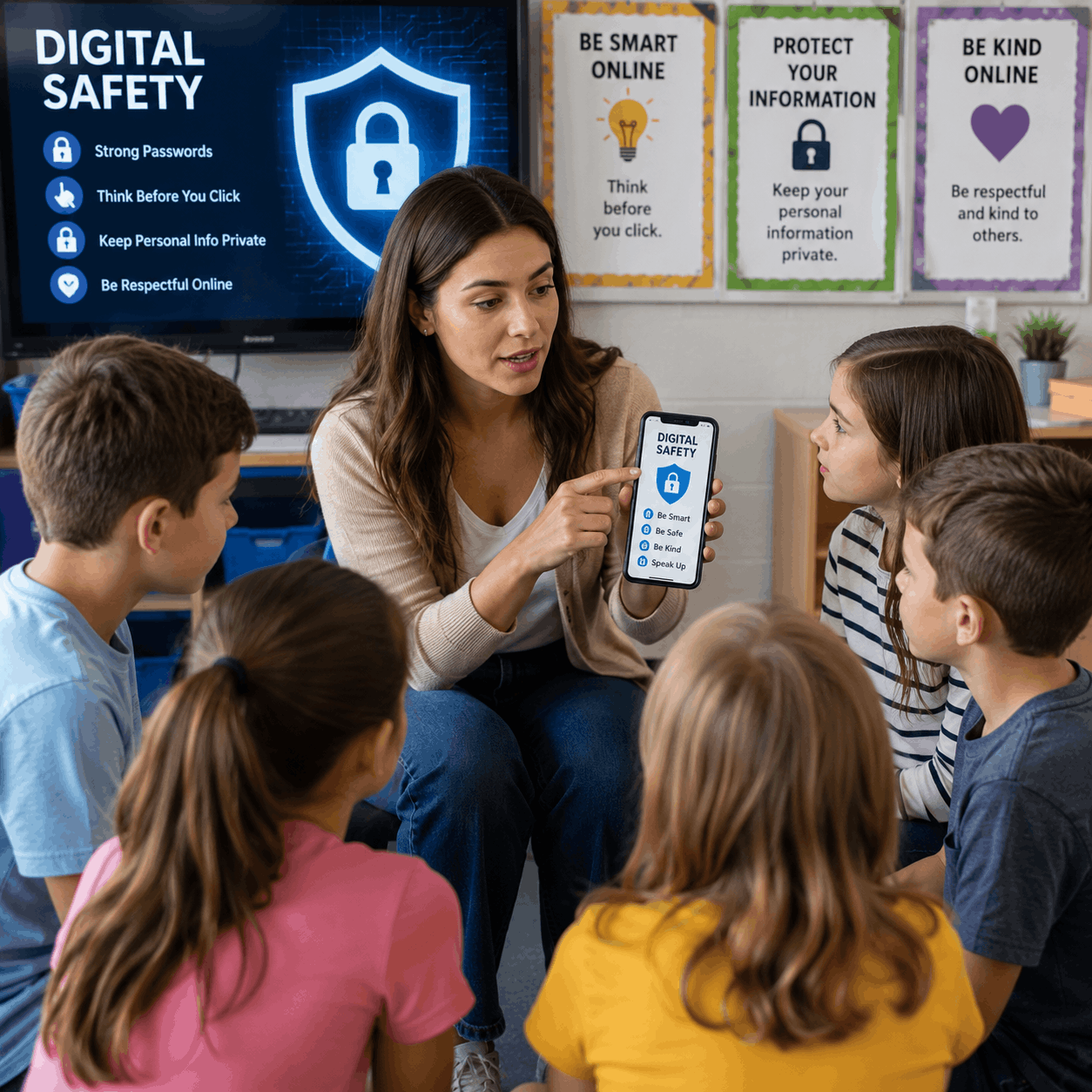
Here is the good news: you do not need to be a cybersecurity expert to protect yourself. These eight steps are practical, mostly free, and can be implemented today — by anyone, at any age, anywhere in America.
Step 1 — Create Stronger Passwords (and Stop Reusing Them)
The most common passwords used by Americans in 2025 were still “123456,” “password,” and “qwerty.” If any of those are on your list, you are essentially leaving your front door wide open.
A strong password has three qualities: it is long (at least 14 characters), it mixes letters, numbers, and symbols, and it is never used on more than one account. The challenge is remembering dozens of unique passwords — which is exactly why password managers exist.
| Password Manager | Cost | Best For | Works On |
|---|---|---|---|
| Bitwarden | Free (Premium $10/yr) | Everyone — beginners to advanced | iPhone, Android, Windows, Mac, Chrome |
| 1Password | $2.99/month | Families and small businesses | All devices and browsers |
| Apple Keychain | Free | iPhone/Mac users only | Apple devices only |
| Google Password Manager | Free | Chrome and Android users | Android, Chrome browser |
Action today: Download Bitwarden (free) and change your email and bank passwords first. Those two accounts protect everything else.
Step 2 — Turn On Two-Factor Authentication (2FA) Everywhere
Two-factor authentication means that even if someone steals your password, they still cannot get into your account without a second form of verification — usually a code sent to your phone or generated by an app.
Turn on 2FA for these accounts first — they are the most critical:
- Your email (Gmail, Outlook, Yahoo Mail)
- Your bank accounts (Chase, Bank of America, Wells Fargo, Citi, Capital One)
- Social Security Administration (ssa.gov — create a my Social Security account)
- IRS (IRS.gov online account)
- Social media (Facebook, Instagram, X/Twitter, TikTok)
- Amazon, PayPal, Venmo, Zelle
The best 2FA method is an authenticator app like Google Authenticator or Authy (both free). Text message codes are better than nothing but can be intercepted. App-based codes cannot.
Step 3 — Learn to Spot a Phishing Email or Text
The AI-generated phishing messages of 2026 are far more sophisticated than the poorly spelled scam emails of the past. But they still have tells. Train yourself to look for these red flags every single time you open an email or text from an unexpected sender:
- Urgency and panic: “Your account will be closed in 24 hours.” Real companies almost never demand immediate action via email.
- Sender address mismatch: The email says it is from Chase Bank, but the actual address is chase-secure@gmail.com or chase.support@randomdomain.net.
- Generic greetings: “Dear Customer” instead of your actual name.
- Suspicious links: Hover over any link before clicking it. The real destination often has nothing to do with the displayed text.
- Requests for gift cards: No legitimate government agency or company — not the IRS, not Microsoft, not Amazon — will ever ask you to pay with iTunes gift cards, Google Play cards, or wire transfers.
Golden rule: When in doubt, do not click. Go directly to the company’s official website by typing it in your browser, or call them using the number on the back of your card or on their official site.
Step 4 — Lock Down Your Home Network
Your home WiFi router is the gateway to every device in your house — your phone, your laptop, your smart TV, your kids’ tablets, and even your smart thermostat. Most Americans in cities like Phoenix, Houston, Charlotte, and Las Vegas have never changed their router’s default password — and attackers know this.
- Log into your router’s settings (usually 192.168.1.1 in your browser — check the label on your router)
- Change the default admin password to something strong and unique
- Change your WiFi network name so it does not broadcast your address or ISP (do not name it “Smith Family Home” or “Apt 4B”)
- Enable WPA3 encryption if your router supports it (WPA2 is also acceptable — WEP is not)
- Keep your router firmware updated — check your ISP’s website (Comcast Xfinity, AT&T, Verizon Fios, Spectrum) for instructions specific to your equipment
Step 5 — Protect Your Social Security Number Like a Physical Key
Your Social Security Number is the skeleton key to your financial identity in America. With your SSN, a criminal can open credit cards, apply for loans, file your taxes, and access government benefits in your name. Unlike a stolen credit card, an SSN cannot simply be cancelled and replaced.
- Never carry your Social Security card in your wallet
- Never give your SSN over the phone unless you initiated the call to a verified number
- Create a free account at ssa.gov to monitor your Social Security record and block unauthorized changes
- Place a free credit freeze at all three bureaus — Equifax, Experian, and TransUnion — which prevents anyone from opening new credit in your name without your explicit permission
- Check your free credit report annually at AnnualCreditReport.com (the only site officially authorized by the Federal Trade Commission)
Step 6 — Use a VPN on Public WiFi
Every time you connect to public WiFi — at a Starbucks in Manhattan, a McDonald’s in Dallas, Chicago O’Hare Airport, LAX, Denver International, or your local public library — you are potentially sharing a network with strangers who could be monitoring your traffic.
A VPN (Virtual Private Network) encrypts your internet connection, making your data unreadable to anyone trying to intercept it.
| VPN Service | Cost | Speed | Best For |
|---|---|---|---|
| ProtonVPN | Free tier available | Good | Privacy-focused users, beginners |
| NordVPN | ~$3.99/month | Excellent | Streaming + security combined |
| ExpressVPN | ~$6.67/month | Excellent | Travelers and frequent flyers |
| Mullvad | $5/month flat | Very Good | Maximum anonymity |
At minimum: Never log into your bank account or enter a credit card number on public WiFi without a VPN active.
Step 7 — Keep Everything Updated
This sounds almost too simple — but keeping your operating system, apps, and browser updated is one of the most effective security measures you can take. Updates exist largely to patch security vulnerabilities that criminals are actively exploiting. Every time you click “Remind Me Later” on an update notification, you are potentially leaving a known open door.
- Enable automatic updates on your iPhone, Android, Windows, or Mac
- Update your browser — Chrome, Firefox, Safari, and Edge all release security patches regularly
- Update your home router firmware (log into your router settings and check for updates every few months)
- Update your apps — especially banking apps and email apps
Step 8 — Know What to Do If Something Goes Wrong
Even careful people can be caught by a sophisticated attack. The faster you act, the less damage is done. Here is exactly what to do:
- If you clicked a suspicious link: Disconnect from the internet immediately, run a virus scan (Windows Defender is free and built in), and change your passwords from a different device
- If your bank account was accessed: Call your bank immediately using the number on the back of your card — not a number from the suspicious email. Ask them to freeze the account.
- If your identity was stolen: Go to IdentityTheft.gov — this is the official FTC site that creates a personalized recovery plan for you
- If you received a scam call or email: Report it to the FTC at ReportFraud.ftc.gov
- If your Social Security Number was compromised: Call the Social Security Administration at 1-800-772-1213
Section 5 — Safe Internet Habits for Specific Situations
Online safety is not one-size-fits-all. Here is how to apply these principles to the specific moments in your life where risk is highest.
Online Shopping (Amazon, Walmart, Target, eBay)
- Always check that the website address starts with https:// — the “s” stands for secure
- Stick to well-known retailers — Amazon.com, Walmart.com, Target.com, BestBuy.com, Costco.com
- Be especially careful during Black Friday, Cyber Monday, and holiday sales — these are peak periods for fake discount sites designed to steal card numbers
- Use a credit card, not a debit card — credit cards have stronger fraud protection under US law
- Never save your card number on websites you do not use regularly
Banking Online (Chase, Bank of America, Wells Fargo, Citi)
- Always type your bank’s address directly into the browser — never click a link from an email
- Set up account alerts so your bank texts you for every transaction over a certain amount
- Review your statements weekly — most fraud victims do not notice unauthorized charges for 30 to 90 days
- Never access your bank account on public WiFi without a VPN
Social Media (Facebook, Instagram, TikTok, LinkedIn, X)
- Review your privacy settings — limit who can see your personal information, location, and photos
- Be extremely cautious about anyone who contacts you out of the blue and quickly builds a personal connection — this is often the beginning of a romance scam or investment fraud
- Never post photos of your plane tickets, boarding passes, or passports — barcodes contain sensitive information that can be scanned
- Do not announce that you are away from home on a vacation until after you return
Working From Home
- Use your company’s VPN whenever accessing work systems remotely
- Never mix personal and work email on the same device if possible
- Be suspicious of any email that asks you to transfer money or change payment information — always verify by calling the person directly using a known phone number, not one provided in the suspicious email
- Do not use personal cloud storage (personal Google Drive, personal Dropbox) for work documents unless your company explicitly approves it
Section 6 — Real Stories from Real Americans
Numbers tell part of the story. These accounts illustrate what it actually feels like when digital safety fails — and what recovery looks like.
Margaret, 68 — Retired Teacher, Clearwater, Florida
Margaret received a call from someone claiming to be a Microsoft technician. Her computer had displayed a warning pop-up that morning, so the timing seemed credible. Over the next two hours, she allowed remote access to her computer to fix the “virus” and purchased $4,200 in Google Play cards as payment. By the time her daughter called that evening and recognized the scam, the money was gone. Recovery took eight months of working with the FTC and local law enforcement. The lesson Margaret shares now: “Microsoft will never call you. Ever.”
Jason, 29 — Software Developer, Seattle, Washington
Jason considered himself tech-savvy. He had strong passwords. He was careful. But when a convincing email appeared to come from his company’s IT department asking him to verify his credentials through a new portal, he complied — on a Friday afternoon when he was rushing to finish work. His email account was compromised within minutes. The attacker used his email to reset passwords on linked accounts and accessed his personal Venmo. Total loss before he caught it: $1,850. The lesson: “Even tech people get hit. Urgency is the weapon.”
The Kim Family, Small Business Owners, Nashville, Tennessee
The Kims run a restaurant supply company with 12 employees. A bookkeeper received an email that appeared to come from their CEO asking her to wire $47,000 to a new vendor before end of business. The email address was one letter off from the real CEO’s address. The wire went through before anyone noticed. Only $12,000 was recovered. The other $35,000 was gone permanently. Today the company has a policy: all wire transfers require a phone confirmation call, no exceptions. The lesson: “One policy change would have saved us everything.”
Section 7 — Free USA Resources — Where to Get Help Right Now
You do not have to navigate this alone. The US government provides several free, official resources specifically designed to help Americans fight back against cybercrime and recover when attacks happen.
| Resource | Website / Number | What It Does |
|---|---|---|
| FTC — Report Fraud | ReportFraud.ftc.gov | Report scams, get a recovery plan |
| FBI — Internet Crime Complaint Center | IC3.gov | File a cybercrime complaint with the FBI |
| Identity Theft Recovery | IdentityTheft.gov | Official FTC site for identity theft victims |
| CISA — Cybersecurity Agency | CISA.gov | Official US government cybersecurity guidance |
| Annual Credit Report | AnnualCreditReport.com | Free official credit reports (Equifax, Experian, TransUnion) |
| Social Security Administration | SSA.gov / 1-800-772-1213 | Protect your SSN, check your record |
| FTC Consumer Helpline | 1-877-382-4357 | Speak directly with FTC consumer protection staff |
| Have I Been Pwned | HaveIBeenPwned.com | Check if your email was in a data breach (free) |
Bookmark these now. You want to have them ready before you need them, not be searching for them in a moment of panic.
Section 8 — Quick Reference Safety Checklist
Print this out. Stick it on your refrigerator. Share it with your parents, your kids, your coworkers. This is the short version of everything in this guide:
| Action | Done? | Priority |
|---|---|---|
| Set up a password manager (Bitwarden is free) | ☐ |  Critical Critical |
| Enable 2FA on email and bank accounts | ☐ | Critical |
| Place a credit freeze at Equifax, Experian, and TransUnion | ☐ | Critical |
| Create a my Social Security account at ssa.gov | ☐ | Critical |
| Change your home router’s default admin password | ☐ |  High High |
| Check HaveIBeenPwned.com for your email address | ☐ | High |
| Download a VPN app for public WiFi use | ☐ | High |
| Enable automatic updates on all devices | ☐ | High |
| Set up account alerts on all bank accounts | ☐ |  Medium Medium |
| Review privacy settings on all social media accounts | ☐ | Medium |
| Share this guide with one family member today | ☐ | Medium |
Frequently Asked Questions
Q: How do I know if I have already been hacked?
There are several warning signs: you cannot log into an account even though you know your password; you see transactions on your bank or credit card that you did not make; friends tell you they received strange messages from your social media account; you receive password reset emails you did not request; or your device suddenly runs much slower and shows ads or pop-ups it did not before. If any of these happen, act immediately — change your passwords from a different device, run a malware scan, and contact your bank if financial accounts are involved.
Q: What should I do if I get a suspicious call claiming to be from the IRS?
Hang up. The IRS will never call you to demand immediate payment. The IRS will never ask you to pay with gift cards, cryptocurrency, or wire transfers. The IRS will never threaten to have you arrested. Their first contact with taxpayers about any issue is always a letter sent by US mail. If you are genuinely worried about your tax status, call the IRS directly at 1-800-829-1040 using the number from IRS.gov — never a number provided by the caller.
Q: Is my information already on the dark web?
There is a good chance some of your information is already out there. Billions of records have been exposed in data breaches over the past decade — from large companies like AT&T, T-Mobile, LinkedIn, and Facebook. Start by checking your email address at HaveIBeenPwned.com. If your email appears in a breach, change the password for that service immediately and for any other accounts where you used the same password. Consider a credit monitoring service — many are free through your credit card company.
Q: How do I report an online scam in America?
You have several options depending on the type of scam. For most scams, report to the FTC at ReportFraud.ftc.gov. For internet-based crimes involving financial loss, file a complaint with the FBI at IC3.gov. If your identity was stolen, go to IdentityTheft.gov for a personalized recovery plan. If you believe you are in immediate danger due to a scam (for example, you gave a criminal access to your home or computer), contact your local police department.
Q: What is the safest way to shop online?
Use a credit card, not a debit card — credit cards offer stronger legal protections and fraud liability limits under the Fair Credit Billing Act. Only shop on sites that display https:// in the address bar. Stick to well-known retailers when possible. During high-traffic shopping events like Black Friday and Cyber Monday, be extra cautious of deals that seem too good to be true — many fraudulent sites are specifically created around these dates. Consider using a virtual card number (offered free by Capital One, Citi, and some other US banks) which generates a temporary card number for each transaction.
Q: Do I really need a VPN, or is it just for tech people?
A VPN is useful for anyone who ever connects to WiFi they do not personally control — which includes the vast majority of Americans who use their laptops or phones at coffee shops, airports, hotels, gyms, and libraries. If you only ever use your home internet and cellular data, your risk from WiFi interception is much lower. But if you travel frequently or work remotely from public spaces, a VPN is a worthwhile and inexpensive layer of protection. ProtonVPN offers a solid free tier for beginners with no data limits.
Q: My elderly parent received a scam call. What do I do now?
First, do not make them feel foolish — these scams are professionally designed to deceive intelligent, careful people. Second, find out exactly what happened: Did they give out any personal information? Did any money transfer? Did they allow remote access to their computer? Based on what you find, take action immediately — contact their bank to freeze accounts if needed, have a technician check their computer if remote access was granted, and report the scam to the FTC and IC3. Then help them set up some simple protections going forward, starting with caller ID and a policy of never giving personal information to incoming callers.
Q: Are free antivirus programs good enough?
For most Americans, yes — especially if you are on Windows. Windows Defender, which is built into Windows 10 and Windows 11 at no cost, consistently ranks as one of the top antivirus solutions in independent testing. Mac users have fewer malware threats but are not immune — Malwarebytes offers a free scan tool for Macs. The more important protections are behavioral: strong passwords, 2FA, software updates, and recognizing phishing attempts. No antivirus program can fully compensate for clicking a malicious link.
Final Thought
Digital safety in 2026 is not about living in fear. It is about taking twenty minutes today to set up the protections that will quietly keep your money, your identity, and your family secure for years to come.
Whether you are a student in Boston, a nurse in Houston, a retiree in Scottsdale, or a small business owner in Nashville — the threats are the same, the tools are the same, and the steps are the same. You now know all of them.
Start with one. Then do the next. The best time to protect yourself was a year ago. The second-best time is right now.
Found this guide helpful? Share it with someone you care about — a parent, a coworker, a friend. One conversation can prevent a devastating loss.