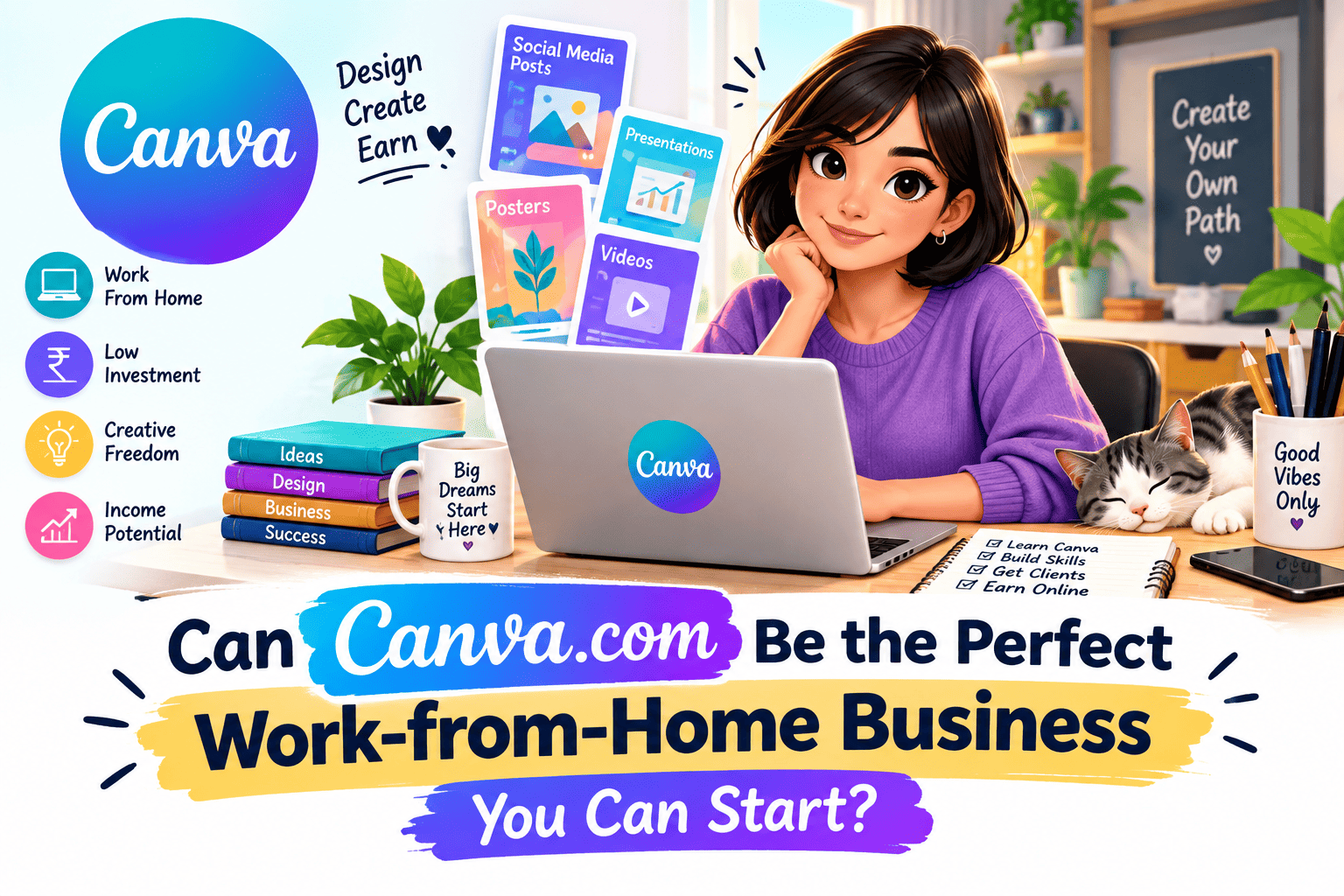
Can Canva.com Be the Perfect Work-from-Home Business You Can Start?
In today’s fast-paced digital world, the idea of starting a business from home has become more appealing than ever. With countless online platforms available, one that stands out due to its ease of use, versatility, and potential for generating income is Canva.com.
Canva is a graphic design platform that has made it possible for anyone, regardless of skill level, to create stunning visual content. But the question is, can Canva.com be a successful work-from-home business? Let’s break it down, step by step, to explore how you can leverage this tool to start your own business from the comfort of your home
Published: September 2026 | Reading Time: 12 Minutes | Category: DIGITAL WORLD
Picture this. Someone sits down at the kitchen table with a laptop and a free Canva account. No design degree, no office, no budget to speak of. A few weeks later, a local bakery pays them to look after its Instagram posts.
Stories like that are exactly why the Canva work from home business idea keeps showing up in search results. And the platform is big enough to make it believable. Canva closed out 2025 with more than 265 million monthly users, and over 31 million of them were paying. Its annual recurring revenue reached roughly $4 billion, with most of it coming from North America.
Big numbers, sure. But they hide a problem. When 265 million people have the same tool, knowing how to use it won’t make you stand out. What does? Original work, a clear niche, and clients who trust you. That’s what this guide is about, including how to make money with Canva without walking into the mistakes that trip up most beginners.
 What This Guide Covers
- Section 1: The Real Numbers Behind Canva
- Section 2: 5 Ways to Make Money With Canva
- Section 3: What It Actually Costs to Start
- Section 4: Design Services and What Clients Pay
- Section 5: Selling Canva Templates and the Licensing Rules
- Section 6: Why Most Beginners Struggle
- Section 7: What Successful Canva Sellers Do Differently
- Section 8: A Simple 30-Day Launch Plan
- Section 9: Three Illustrative Scenarios
- Section 10: Red Flags and Mistakes to Avoid
- Section 11: Your Starter Checklist
- FAQ: Common Questions Answered
Section 1: The Real Numbers Behind Canva
| Canva in 2026 | Figure |
|---|---|
| Monthly active users (end of 2025) | 265 million+ |
| Paying subscribers | 31 million+ |
| Annual recurring revenue (end of 2025) | About $4 billion |
| Reported 2025 revenue | About $3.5 billion |
| Where most revenue comes from | North America |
| Free plan | Free forever, 5 GB storage, millions of templates |
So what does all this mean for you? Demand is huge, and so is the competition. Millions of small businesses use Canva, and plenty of their owners would rather pay someone else to handle it. Menus, flyers, social posts, pitch decks. They’re busy running a business. That gap is where you come in.
Section 2: 5 Ways to Make Money With Canva
| Business Model | Startup Cost | How You Get Paid | Good For |
|---|---|---|---|
| Social media design services | $0 | Per post or monthly retainer | Fast first income |
| Selling Canva templates | $0 to low | Per sale, over time | People who like building once |
| Resume and presentation design | $0 | Per project | Students and job seekers as clients |
| Branding kits | Low | Higher fee per project | Anyone with a good eye for brand style |
| Print-on-demand designs | Low | Per sale | Patient sellers with a clear niche |
If you’re brand new, start with services. Cash comes in sooner, and you learn what clients actually want. Templates can come later, once you know what people ask for again and again.
Section 3: What It Actually Costs to Start
| Item | Typical Cost | Notes |
|---|---|---|
| Canva Free | $0 | A permanent plan, not a trial |
| Canva Pro (optional) | $18/month, or $144/year if billed annually | Prices have changed a few times, so check Canva’s site before you buy |
| Laptop or phone with internet | Most people already have one | A laptop is easier for client work |
| Portfolio | $0 | A shared folder or social page is enough at first |
You can start for nothing. Upgrade to Pro when a real limit slows you down, like needing the background remover or premium assets. One small thing to know: a Pro plan is a single-user license. One person, one login.
Section 4: Design Services and What Clients Pay
Here’s roughly where the market sits, based on 2026 pricing guides.
| Service Level | Typical Range |
|---|---|
| Simple post from a marketplace freelancer (Fiverr, Upwork) | $5 to $20 per post |
| Polished post from an experienced designer | $40 to $150 per post |
| Monthly retainer for ongoing work | $250 to $2,000 per month |
| Beginner freelancers, usually with one steady client | About $500 to $1,500 per month |
Treat these as market ranges, not promises. What you earn depends on your skill, your niche, and how well you market yourself.
Location matters too. Those guides reflect US market rates, and prices outside North America and Western Europe usually run 30 to 50 percent lower. If you want US clients, you can aim closer to US rates, but you’ll need solid samples to back that up.
One habit worth building early: once a client is happy, offer a monthly package instead of charging per post. Steady income beats chasing one-off jobs every time.
Section 5: Selling Canva Templates and the Licensing Rules
Templates are the popular “passive income” angle, and they’re also the easiest place to get into trouble. Here’s the short version of Canva’s rules.
| Situation | What’s Allowed |
|---|---|
| Template uses Pro content | Sell it only as a Canva template link |
| Template uses Free content only | You can sell it as a PDF or as a template link |
| Selling a single stock graphic or clipart made from Canva content | Not allowed |
| Exporting a Pro-content design as a PDF or PNG to sell | Not allowed, even if you pay for Pro |
The safest rule is simple. Your design should be an original composition. Reselling someone else’s template with a few tiny edits won’t work, and it can get your shop removed.
Research matters as much as design. One Etsy-focused guide says the biggest sales mistake is skipping demand research: sellers make what looks pretty, then wonder why nothing sells. The same guide points out that a free Canva account can create the template links most Etsy shops use.
As for income, one guide claims successful template sellers can earn $500 to $5,000+ a month. Take that as a best-case number. Most new shops need time before they see steady sales.
Section 6: Why Most Beginners Struggle
Many beginners think they need to get better at Canva. Usually, the tool isn’t the problem. These are:
- No clear niche. “I design anything” is hard to sell. “I design Instagram posts for real estate agents” is easy to understand.
- No proof of work. Clients want to see examples before they trust you with money.
- No marketing. Nice designs sitting in a folder earn nothing.
- Copying whatever is trending. When everyone sells the same look, buyers choose the cheapest one.
- Ignoring the license. One complaint can take down a whole shop.
Learning the tool takes a week or two. Finding clients takes much longer, and that’s the real business.
Section 7: What Successful Canva Sellers Do Differently
- They pick a niche first. Real estate agents, salons, coaches, teachers, restaurants. A narrow focus makes every other step easier.
- They build 5 to 10 samples before contacting anyone. No portfolio, no trust.
- They check demand before designing. They look at what buyers actually search for and buy.
- They sell packages. A monthly bundle means steadier income and fewer awkward pricing conversations.
- They read the license. They know what content they can use and how they’re allowed to deliver it.
- They use new tools wisely. Canva keeps adding AI features. Smart sellers use them to work faster, but the taste and the ideas still come from them.
Section 8: A Simple 30-Day Launch Plan
Step 1: Choose one niche and one service (Days 1 to 3)
Finish this sentence: “I help [type of business] with [type of design].” If you can’t finish it clearly, narrow it down further.
Step 2: Build your sample set (Days 4 to 10)
Create 5 to 10 designs for your niche. Invent fictional brands if you have to. Keep the style consistent so the set looks like one person’s work.
Step 3: Set up a simple portfolio (Days 11 to 14)
A Google Drive folder, an Instagram page, or a free website will do. Add a short line about what you offer and how to reach you.
Step 4: Start reaching out (Days 15 to 25)
Message a handful of potential clients every day. Share your work on Instagram, LinkedIn, and Pinterest. Fiverr and Upwork are worth trying, though prices there start low. One Fiverr page lists an average of around $32 for a social media design.
Step 5: Review and adjust (Days 26 to 30)
Look at your replies, calls, and orders. Fix what isn’t working. Then decide whether to stay with services, add templates, or tighten your niche.
Section 9: Three Illustrative Scenarios
Note: These are made-up examples based on common patterns. They are not real people or real results.
Scenario A: The focused freelancer. Someone picks one niche, local restaurants, and builds ten sample menus and Instagram posts. They offer two early clients a small discount in return for reviews. A few months later they’ve moved from one-off jobs to a monthly package. The takeaway: a narrow niche makes outreach much easier.
Scenario B: The template seller who skipped research. Someone makes 40 templates in a style they personally love. Hardly any sell, because they never checked what buyers were searching for. After studying top listings and redesigning around real demand, things improve. The takeaway: research first, design second.
Scenario C: The beginner who ignored licensing. Someone exports Pro-content designs as PDFs and sells them. A complaint forces them to take the listings down. They rebuild with original layouts and deliver through template links. The takeaway: read the license before you list anything.
Section 10: Red Flags and Mistakes to Avoid
- Promises like “guaranteed $5,000 a month with Canva.” No honest course or video can guarantee income.
- Courses that never mention licensing. It’s one of the biggest risks in the template business.
- Reselling templates with tiny edits. It breaks Canva’s rules and hurts your reputation.
- Underpricing forever. Starting low is fine. Staying low leads to burnout.
- Trying to serve everyone. A vague message attracts nobody.
- Expecting overnight results. Building a client base takes steady effort over months.
Section 11: Your Starter Checklist
| Action | Done? | Priority |
|---|---|---|
| Choose one niche and one main service | ☐ | 🔴 Critical |
| Read Canva’s Content License before selling anything | ☐ | 🔴 Critical |
| Create 5 to 10 portfolio samples | ☐ | 🔴 Critical |
| Set up a simple portfolio link | ☐ | 🟠 High |
| Contact a few potential clients every day | ☐ | 🟠 High |
| Offer a monthly package after your first client | ☐ | 🟠 High |
| Research demand before making templates | ☐ | 🟡 Medium |
| Upgrade to Pro only when you need it | ☐ | 🟡 Medium |
❓ Frequently Asked Questions
Q: Can I start a Canva work from home business with no experience?
Yes. Canva is beginner-friendly, and you can pick up the basics in a few days. What takes longer is building a portfolio and finding your first clients.
Q: Is Canva free to use for a business?
You can start on the free plan. Canva Pro adds premium content and extra tools. Prices have changed several times, so check Canva’s site for the current rate.
Q: How can I make money with Canva?
The common routes are design services, selling templates, resume and presentation design, branding kits, and print-on-demand products.
Q: Can I sell Canva templates on Etsy?
Yes, as long as your design is original and you follow Canva’s Content License. If a template includes Pro content, deliver it as a Canva template link, not as a flat PDF or image.
Q: How much can a beginner earn with Canva?
It varies a lot. One 2026 guide puts beginner monthly earnings at roughly $500 to $1,500, usually from one recurring client. Your results depend on your niche, skills, and marketing, and nothing is guaranteed.
Q: Do I need a website to start?
No. A social media page or a shared folder of samples is enough at the start. Build a website once you have steady clients.
Final Thought
Canva can absolutely be the base of a work-from-home business. It costs little, it’s easy to learn, and millions of people need designs made every day.
The tool alone won’t build the business, though. The people who last have a clear niche, real samples, fair prices, and respect for the license rules. Skip those and you’ll be one more seller in a crowded market. Do them well and you’ll be easy to remember.
Recap: Pick a niche ✅ Build a portfolio ✅ Follow the license ✅ Promote consistently ✅ Grow with packages
Now it’s time to open Canva, make your first sample, and get started today! 🚀
Found this guide useful? Share it with a friend who wants to start an online business from home.
Income disclaimer: The earnings mentioned here are market ranges from published guides, not guarantees. Your results depend on your effort, skills, and market.