Best Work-From-Home Jobs on Canva for Ladies in 2026
 Published: June 2026 |
  Reading Time: ~14 Minutes |
  Category: AI-TOOLS |
  For: All Women — Students, Homemakers, Working Ladies, Side-Hustlers — Worldwide
Imagine opening your laptop at 9 AM with a cup of tea in your hand, your kids still asleep or your college notes still on the table — and earning real, consistent money by creating beautiful graphics in a tool that is completely free to use. No degree. No design experience. No boss. Just you, a screen, and one of the most powerful creative platforms in the world: Canva.
This is not a fantasy. Millions of women around the world are already doing exactly this — from homemakers in India and Pakistan to college students in Nigeria and the Philippines, from stay-at-home moms in the UK and Australia to young women in Brazil and Indonesia who want financial independence without stepping outside their homes. Canva has quietly become one of the most accessible paths to online income for women across every country, culture, and income level.
In 2026, Canva has over 195 million active users globally, and the demand for Canva-based design services — templates, social media graphics, ebooks, presentations, and more — has never been higher. Businesses of every size need beautiful visuals, and they are actively paying people who know how to create them. The best part? You do not need to be a graphic designer. You do not need expensive software. You do not even need a paid Canva account to start earning your first dollar.
Whether you are a student trying to cover your college fees, a housewife wanting to contribute to household expenses, a working woman looking for a side income, or someone who simply wants the freedom to work from home on your own terms — this guide is for you. We have researched every real income opportunity Canva offers, how much you can realistically earn, exactly where to sell or offer your services, and how to get started today — even with zero experience.
Let’s get into it.
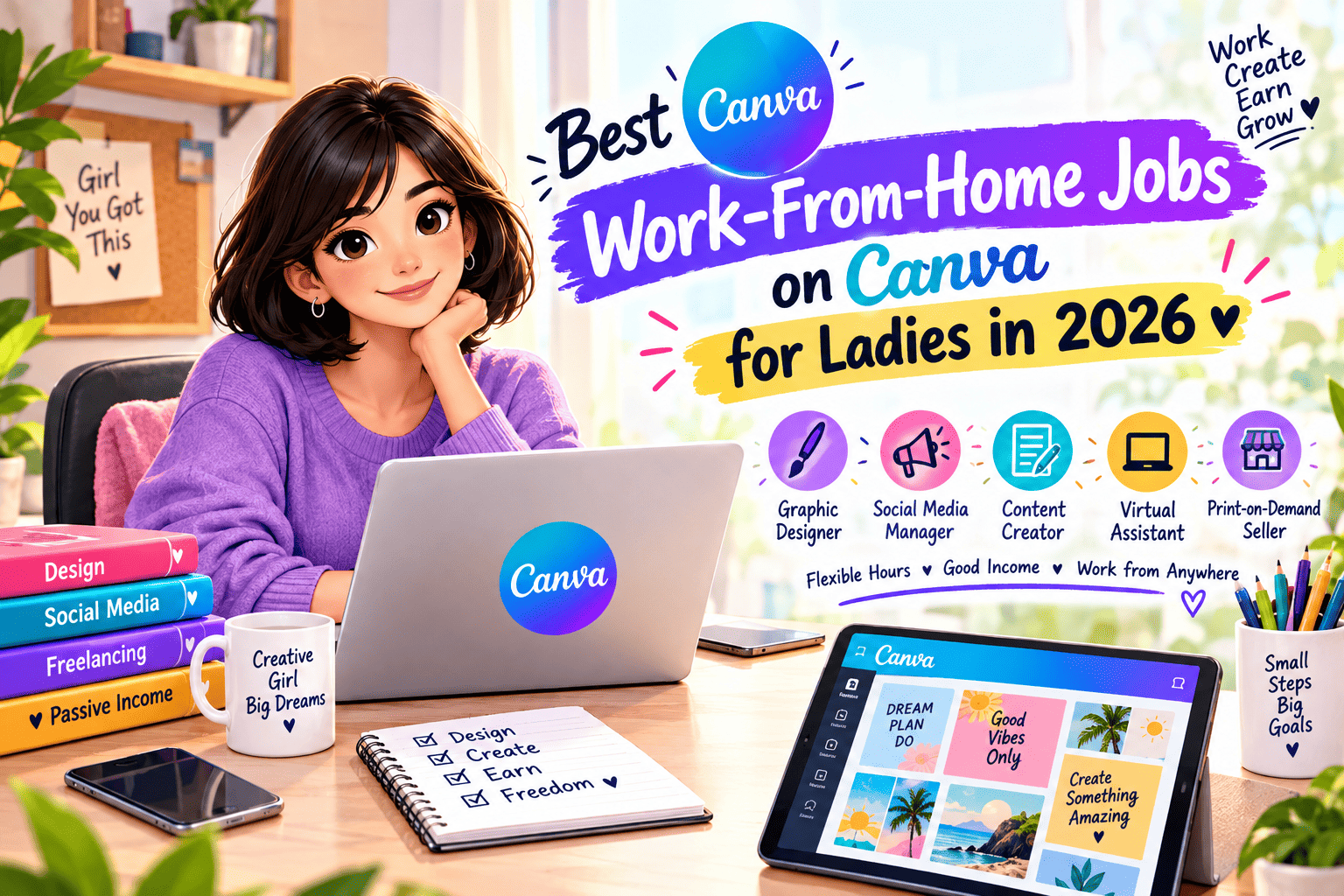
 Table of Contents
- Why Canva Is the Best Tool for Women Working From Home
- Job 1: Selling Canva Templates on Etsy or Creative Market
- Job 2: Social Media Content Creator for Businesses
- Job 3: Designing and Selling Digital Planners
- Job 4: Creating and Selling Ebooks
- Job 5: Canva Freelance Designer on Fiverr or Upwork
- Job 6: YouTube Thumbnail Designer
- Job 7: Pinterest Pin Designer
- Job 8: Teaching Canva Online (Courses and Tutorials)
- Job 9: Canva Resume and CV Designer
- Job 10: Wedding and Event Stationery Designer
- Job 11: Print-on-Demand Products Using Canva
- Job 12: Brand Kit and Logo Designer for Small Businesses
- Realistic Income Comparison Table
- Where to Sell Your Canva Work — Platform Guide
- How to Get Started With Zero Experience
- Real Stories: Women Earning With Canva From Home
- Free & Paid Tools to Support Your Canva Business
- Quick Reference Checklist
- Frequently Asked Questions (FAQ)
- Final Thought
Why Canva Is the Best Tool for Women Working From Home
Before we dive into each job, it is worth understanding what makes Canva uniquely suitable for women looking to work from home, regardless of their country, education level, or design background.
Canva is a free, browser-based graphic design tool that uses a simple drag-and-drop interface. Unlike Adobe Photoshop or Illustrator, which take years to master and cost hundreds of dollars per year, Canva can be learned to a productive level in just a few days — sometimes even a few hours. The platform provides thousands of ready-made templates across every design category imaginable: social media posts, presentations, ebooks, menus, wedding cards, business cards, YouTube thumbnails, resumes, and much more.


Here is why it works especially well for women managing households, studies, or part-time commitments:
 Completely free to start — You can build and sell with the free version of Canva
- No installation needed — Works in any browser, on any device including a basic laptop
- Work at your own pace — No fixed hours, no deadlines unless you choose them
- Global income — Your designs can sell to customers in any country, 24/7
- Multiple income streams — One skill, but twelve or more different ways to monetize it
- Low startup cost — You can begin with literally zero investment
- Passive income potential — Create a template once, sell it hundreds of times
| Feature | Canva (Free) | Canva Pro ($14.99/month) | Photoshop (~$55/month) |
|---|---|---|---|
| Ease of Learning |  Very Easy Very Easy |
Very Easy |
Difficult |
| Cost to Start | Free | $14.99/month | ~$55/month |
| Templates Available | 1 Million+ | 3 Million+ | Very Few Built-in |
| Works on Phone? | Yes |
Yes |
Limited |
| Sell Templates Directly? | Yes |
Yes |
 No No |
| Beginner-Friendly? | Very much |
Very much |
Not really |
Job 1: Selling Canva Templates on Etsy or Creative Market
This is arguably the most popular and most profitable Canva-based income stream for women working from home. The concept is simple: you design beautiful, editable templates in Canva and sell them as digital products on platforms like Etsy or Creative Market. Customers download your template, open it in their own Canva account, customize it, and use it for their business or personal needs.
You create the design once. It can sell hundreds or even thousands of times with no additional effort from you. That is the power of passive income through digital products.
What Kind of Templates Sell Best?
In 2026, the most in-demand Canva templates are not generic ones. The market has evolved to reward niche-specific, problem-solving designs. Here are the highest-selling categories right now:
| Template Category | Who Buys It | Typical Price | Competition Level |
|---|---|---|---|
| Social Media Bundle (Instagram/Facebook) | Small business owners, influencers | $5 – $25 | High (go niche) |
| Business Planners and Organizers | Coaches, freelancers, entrepreneurs | $7 – $30 | Medium |
| Wedding Invitations & Stationery | Couples, event planners | $5 – $20 per set | Very High |
| Ebook & Lead Magnet Templates | Coaches, bloggers, course creators | $10 – $40 | Medium-Low |
| Resume & CV Templates | Job seekers worldwide | $3 – $15 | High |
| Client Welcome Packets / Workbooks | Business coaches, therapists | $15 – $50 | Low (very profitable) |
| Printable Planners / Journals | Students, moms, productivity lovers | $4 – $20 | Medium |
| Real Estate / Airbnb Templates | Property owners, agents | $10 – $35 | Low (great niche) |
How Much Can You Realistically Earn?
According to real data from Canva template sellers: successful shops on Etsy earn between $500 and $2,000 per month. Top-performing shops with large, niche-focused catalogs earn $5,000 to $30,000+ per month. One well-known creator scaled her Canva template business to over $1.4 million in total earnings while working just 10 hours a week. These numbers are real — but they require consistent effort, good niche research, and quality designs. Beginners typically earn their first $100–$500 within the first two to three months if they are consistent.
How to Deliver Your Template to Buyers
- Design your template in Canva
- Click Share → More → Template Link (NOT the regular share link)
- Create a simple PDF that contains the template link and a thank-you note
- Upload this PDF as the digital download file in your Etsy listing
- When a customer buys, they auto-receive the PDF and click the link to access the template in their own Canva account
Job 2: Social Media Content Creator for Businesses
Every small business in the world — a bakery in Lagos, a clothing boutique in Mumbai, a coaching brand in London, a photography studio in Jakarta — needs a consistent, beautiful social media presence. Most of them do not have the time, skill, or money to hire a full-time designer. This is where you come in.
As a Social Media Content Creator using Canva, you offer to design a set of branded social media posts for a business each week or month — Instagram posts, Facebook banners, story graphics, LinkedIn headers, and more. You use Canva to create matching, on-brand visuals quickly and professionally. Clients pay you a monthly retainer, making this a reliable, recurring income.
What You Typically Deliver to Clients
- 12–30 social media graphics per month (depending on package)
- Instagram story templates
- Promotional sale posts and banners
- Quote cards and motivational posts
- Product showcase graphics
- Canva brand kit setup (logo colors, fonts, brand palette)
Pricing Guide for Social Media Content Services
| Package | What’s Included | Typical Monthly Price |
|---|---|---|
| Starter | 10 posts per month, 1 platform | $100 – $200 |
| Growth | 20 posts per month, 2 platforms | $250 – $400 |
| Premium | 30 posts + stories + brand kit | $500 – $800 |
| Full Management | Posting + captions + strategy | $800 – $1,500+ |
With just 3–5 retainer clients, you can easily earn $500 to $2,000 per month doing this from home. The key is to find a niche — for example, only working with beauty salons, or only with food businesses, or only with life coaches — because niche clients trust specialists more and pay better.
Job 3: Designing and Selling Digital Planners
Digital planners are one of the fastest-growing product categories in the digital download market. A digital planner is essentially a beautifully designed, organized PDF or template that people use to plan their day, week, month, goals, meals, fitness, or business. Canva makes it incredibly easy to design these, and platforms like Etsy, Gumroad, and Payhip make it easy to sell them.
What makes digital planners especially smart as a product: unlike physical planners, you have zero printing costs, zero shipping, and zero inventory. Design it once, sell it forever. Popular planner niches include daily planning, meal planning, budgeting and finance, fitness and wellness, pregnancy and motherhood, student study planners, and business goal trackers.
Best-Selling Planner Niches in 2026
| Planner Niche | Target Audience | Price Range | Earning Potential |
|---|---|---|---|
| Daily / Weekly Planner | Working adults, students | $4 – $15 | Medium |
| Budget Planner / Finance Tracker | Families, young adults | $8 – $25 | High |
| Meal Planner | Homemakers, fitness enthusiasts | $5 – $15 | Medium |
| Student Study Planner | School and college students | $4 – $12 | Medium |
| Business / Entrepreneur Planner | Coaches, freelancers | $15 – $50 | Very High |
| Pregnancy / New Mom Planner | Expecting mothers | $8 – $20 | High |
| Fitness / Workout Tracker | Gym enthusiasts, wellness seekers | $5 – $18 | Medium-High |
Job 4: Creating and Selling Ebooks
Do you know something useful? A recipe collection you have tested and refined over the years? Tips for raising toddlers on a budget? How to manage anxiety while studying? How to start a small business from home? That knowledge is worth money — and Canva is the perfect tool to turn it into a professionally designed ebook that you can sell online.
Canva has stunning, ready-made ebook templates. You write the content (or have someone help you), drop it into a Canva ebook template, add your photos or graphics, export it as a PDF, and start selling it on platforms like Gumroad, Payhip, Amazon Kindle Direct Publishing, Etsy, or your own website. Ebooks price anywhere from $5 to $97 depending on the topic and audience.
Best Ebook Topics for Women in 2026
- Healthy cooking and recipes for busy families
- Starting a home business with no money
- Parenting tips and child development
- Personal finance and saving money on a low income
- Self-care, mental health, and mindfulness
- How to grow an Instagram account from zero
- Freelancing and earning online as a woman in [your country]
- Canva tutorial ebooks (very meta and very popular)
One single ebook can generate $500 to $5,000+ over its lifetime if properly marketed — especially if you combine it with a small social media presence or email list.
Job 5: Canva Freelance Designer on Fiverr or Upwork
Platforms like Fiverr, Upwork, PeoplePerHour, and Freelancer.com are global marketplaces where businesses actively post paid jobs every single day — and many of these jobs specifically ask for someone who can use Canva. Logo designs, presentation decks, social media graphics, pitch decks, flyers, business cards — the demand is endless and consistent.
As a freelance Canva designer, you create a profile, list your services (called “gigs” on Fiverr), and start receiving orders from clients around the world. The best part is that you set your own price, your own working hours, and your own service offerings. You can start small — accepting $10–15 orders just to build reviews — and then raise your rates as you gain credibility and a portfolio.
Best Canva Gigs to Offer on Fiverr
| Gig / Service | Starting Price | Experienced Price | Demand Level |
|---|---|---|---|
| Social Media Post Design (10 posts) | $10 – $25 | $50 – $150 | Very High |
| Pitch Deck / Presentation Design | $20 – $50 | $100 – $300 | High |
| Business Flyer / Brochure | $10 – $20 | $40 – $100 | High |
| Canva Template Creation | $15 – $30 | $60 – $200 | Growing Fast |
| Business Card Design | $5 – $15 | $30 – $75 | High |
| YouTube Channel Art / Thumbnails | $10 – $20 | $50 – $150 | Very High |
Many women on Fiverr have grown from complete beginners to earning $1,000 – $3,000 per month within 6–12 months of consistent effort. The key is to over-deliver on early orders, collect 5-star reviews, and gradually raise your prices.

Job 6: YouTube Thumbnail Designer
YouTube has over 2.7 billion monthly active users, and there are millions of YouTube creators uploading videos every single day. Every video needs a thumbnail — the clickable image that determines whether someone watches the video or scrolls past it. A great thumbnail can double or triple a video’s views. That is how seriously creators take them.
Canva is the tool of choice for most beginner and intermediate YouTubers for thumbnail design because it is fast, affordable, and produces professional results. You can offer to design YouTube thumbnails for creators as a standalone freelance service, charging per thumbnail or per monthly package.
On platforms like Fiverr, YouTube thumbnail designers earn anywhere from $5 to $50 per thumbnail depending on complexity and their reputation. If you design 5–10 thumbnails a day, you are looking at $25 – $500 per day — without ever leaving your house.
Job 7: Pinterest Pin Designer
Pinterest is not just a mood board. It is a visual search engine with over 518 million monthly active users, and businesses — especially in the fashion, home decor, food, fitness, parenting, and education niches — use Pinterest heavily to drive traffic to their websites and online shops. But Pinterest rewards beautiful, tall, well-designed pins. Most business owners do not have time to create these consistently.
As a Pinterest Pin Designer using Canva, you create fresh, on-brand pins for business clients weekly or monthly. This is a great retainer service — clients keep paying you every month because they always need new content. Pinterest pin design pays anywhere from $5 per pin to $200+ per monthly package, depending on volume and your package structure.
Job 8: Teaching Canva Online (Courses and Tutorials)
Once you have learned to use Canva confidently, you are already ahead of millions of people who want to learn it but do not know where to start. Teaching what you know is one of the highest-leverage income opportunities available to women online — because you put in the work once and earn from it repeatedly.
You can teach Canva in several formats:
- YouTube tutorials — Free content that earns ad revenue and builds an audience
- Paid courses on Udemy, Teachable, Gumroad — One-time fee, passive income
- Instagram or TikTok Reels — Short Canva tips that build a following you can monetize
- Live workshops on Zoom — Charge per seat, great for local communities or WhatsApp groups
- 1-on-1 online coaching — Personalized Canva training via video call, charged hourly
A simple Canva course on Udemy can earn $500 to $5,000+ per month passively, especially if you keep updating it and run occasional promotions.
Job 9: Canva Resume and CV Designer
Every month, millions of people around the world apply for new jobs and need a professional, visually impressive resume that stands out. Canva has become the go-to tool for modern, beautiful resume design. As a Canva Resume Designer, you offer to create custom, ATS-friendly (Applicant Tracking System compatible) resumes for clients.
This service is particularly in demand among:
- Fresh graduates entering the job market for the first time
- Professionals switching careers who want a fresh look
- People applying to international or multinational companies
- Anyone who has an outdated, boring resume and wants a modern redesign
On Fiverr and Upwork, resume design gigs charge anywhere from $15 to $150 per resume, depending on complexity and turnaround time. A skilled resume designer can easily complete 3–5 resumes per day, earning $500 to $2,000+ per month from home.
Job 10: Wedding and Event Stationery Designer
Weddings are a trillion-dollar industry worldwide, and beautiful stationery — invitations, RSVP cards, table menus, thank-you cards, wedding programs, and place cards — is something every couple needs. Canva makes it surprisingly easy to design stunning, print-ready wedding stationery at a fraction of the cost of traditional print design software.
You can sell wedding templates on Etsy (each listing can make hundreds of sales), offer custom wedding stationery design as a freelance service, or even combine both for maximum income. Local wedding communities, Facebook wedding groups, and Instagram hashtags are excellent places to find clients. Wedding stationery clients often pay $50 to $300+ per complete set for custom design work.
Job 11: Print-on-Demand Products Using Canva
Print-on-demand (POD) is a business model where you create designs using Canva and then upload them to a print-on-demand platform. When a customer orders a product — a mug, a t-shirt, a tote bag, a phone case, a poster, a wall print — the platform prints and ships it directly to the customer. You never touch the inventory, pack a single box, or visit a post office.
Popular print-on-demand platforms that work beautifully with Canva include:
| Platform | Products Available | Where It Sells | Best For |
|---|---|---|---|
| Printful | 300+ products | Etsy, Shopify, your website | All-round best option |
| Printify | 900+ products | Etsy, eBay, Shopify | Widest product range |
| Redbubble | Art prints, stickers, apparel | Own marketplace | Artists and illustrators |
| Merch by Amazon | T-shirts, hoodies, phone cases | Amazon marketplace | High-traffic reach |
| Zazzle | Gifts, office, home decor | Own marketplace | Custom gifts niche |
Print-on-demand income is slower to scale than template selling, but once your designs gain traction, it becomes a genuinely passive income stream. Some women earn $300 to $3,000 per month from POD after 6–12 months of consistent uploading.
Job 12: Brand Kit and Logo Designer for Small Businesses
Every new business — a home bakery, an online coaching practice, a tutoring service, a food delivery side hustle — needs a basic brand identity: a logo, a color palette, a consistent font combination, and branded social media templates. This is called a brand kit, and small business owners are willing to pay significantly for a professional-looking one that they can use themselves in Canva afterward.
Canva Pro has a dedicated Brand Kit feature that allows you to set up logos, colors, and fonts for a client and then deliver the entire brand identity to them as an editable Canva workspace. You can charge $100 to $500+ for a complete starter brand kit, and since most small businesses rebrand every few years, returning clients are common.
This is particularly well-suited for women who have a good eye for aesthetics, enjoy color combinations and visual storytelling, and want to offer something more specialized than just social media posts.
Realistic Income Comparison: All 12 Canva Jobs
| # | Job Type | Passive or Active? | Beginner Monthly Income | Experienced Monthly Income | Time to First Earnings |
|---|---|---|---|---|---|
| 1 | Selling Templates (Etsy) | Passive |
$100 – $500 | $1,000 – $10,000+ | 1–3 months |
| 2 | Social Media Content Creator | Active (Retainer) | $300 – $800 | $1,500 – $4,000 | 2–6 weeks |
| 3 | Digital Planner Seller | Passive |
$50 – $300 | $500 – $5,000 | 1–2 months |
| 4 | Ebook Creator and Seller | Passive |
$50 – $400 | $500 – $5,000+ | 2–4 months |
| 5 | Freelance Designer (Fiverr/Upwork) | Active | $200 – $600 | $1,000 – $3,000 | 1–4 weeks |
| 6 | YouTube Thumbnail Designer | Active | $100 – $400 | $500 – $2,000 | 1–3 weeks |
| 7 | Pinterest Pin Designer | Active (Retainer) | $150 – $500 | $500 – $2,000 | 2–5 weeks |
| 8 | Teaching Canva (Courses) | Passive |
$100 – $500 | $500 – $5,000+ | 2–5 months |
| 9 | Resume / CV Designer | Active | $200 – $500 | $500 – $2,000 | 1–3 weeks |
| 10 | Wedding Stationery Designer | Mixed | $100 – $400 | $500 – $3,000 | 2–6 weeks |
| 11 | Print-on-Demand Products | Passive |
$50 – $200 | $300 – $3,000 | 2–5 months |
| 12 | Brand Kit / Logo Designer | Active | $100 – $400 | $500 – $2,500 | 2–5 weeks |
Where to Sell Your Canva Work — Complete Platform Guide
| Platform | Best For | How You Earn | Free to Start? |
|---|---|---|---|
| Etsy | Templates, planners, ebooks, stationery | Sell digital downloads | Yes ($0.20/listing fee) |
| Fiverr | Freelance design services | Client orders your gig | Yes (free to join) |
| Upwork | Ongoing freelance projects | Hourly or fixed-price contracts | Yes (free tier) |
| Gumroad | Ebooks, courses, templates | Direct digital product sales | Yes (10% fee per sale) |
| Creative Market | Templates, graphics bundles | Sell digital products | Yes (application needed) |
| Payhip | Ebooks, courses, memberships | Direct digital product sales | Yes (free plan available) |
| Udemy | Teaching Canva courses | Course enrollment fees | Yes (free to publish) |
| Instagram / TikTok | Building audience, selling services | DM inquiries, link-in-bio sales | Yes |
How to Get Started With Zero Experience — Step by Step
If you have never opened Canva before and you are reading this guide today, here is exactly what to do — one step at a time:
- Create your free Canva account at canva.com — Sign up with your email or Google account. It takes 2 minutes.
- Spend 3–5 days exploring — Browse through different template categories. Try editing a social media post, a resume, a flyer. Get comfortable with the drag-and-drop interface.
- Watch 5–10 free tutorials on YouTube — Search “Canva beginner tutorial 2026” and watch people who explain it simply. This will shortcut your learning by weeks.
- Pick one income stream to start — Do not try all 12 at once. Pick the one that excites you most and fits your time availability. Templates or freelancing are usually the fastest paths to first earnings.
- Create 5–10 sample designs — Before offering your services or listing products, build a small portfolio. Even if no one pays for these initially, they show what you can do.
- Set up your platform account — Whether it is Etsy, Fiverr, or another platform, set up your profile completely with a photo, bio, and services/products. Profiles with complete information earn significantly more trust from buyers.
- Post consistently and improve based on feedback — The first month is always the hardest. The second and third months are when traction starts to build. Keep going.
Real Stories: Women Earning With Canva From Home
These are representative stories based on common experiences shared by women in online communities and design forums — names and details are illustrative of real patterns in the Canva work-from-home community.
Story 1: Priya, 27 — Homemaker, Hyderabad, India
Priya had been at home for two years after her wedding, feeling financially dependent on her husband. She had a basic laptop and a Wi-Fi connection, but no design degree. In January 2024, she discovered Canva through a YouTube video and decided to try selling social media templates on Etsy. She spent her evenings creating templates for small Indian businesses with captions in both English and Hindi. By month three, she was earning ₹18,000 ($220) per month. By month eight, she crossed ₹50,000 ($600) per month by expanding to Instagram and Pinterest-focused template packs. Today, her Etsy store has over 1,200 sales. “I never imagined I could earn my own money without leaving my kitchen table,” she says.
Story 2: Fatima, 21 — University Student, Lagos, Nigeria
Fatima was struggling to pay her university tuition fees when she stumbled across a TikTok video about Canva freelancing. With her smartphone and a basic laptop borrowed from her older brother, she created a Fiverr profile offering YouTube thumbnail design. She priced her first gig at $5 to attract initial clients. Within 45 days, she had received 22 orders, earned her first $110, and collected 18 five-star reviews. She raised her prices to $15, then $30. By the end of her first semester using Canva, she had earned over $800 — enough to cover her semester fees. “People kept asking if I was a professional designer. I learned everything from YouTube. You don’t need a certificate to start.”
Story 3: Sarah, 34 — Stay-at-Home Mom, Manchester, United Kingdom
Sarah left her corporate marketing job when her twins were born. Three years later, with the children in school part-time, she wanted to rebuild her income without returning to a 9-to-5. She combined her old marketing knowledge with Canva skills and began offering social media content packages to local small businesses — a florist, a yoga studio, and a personal trainer in her area. She charged £250 per month per client for 20 posts. Within three months, she had 4 clients paying her £1,000 per month total (approximately $1,260), all managed in roughly 20 hours of work per week from her home office. “Canva gave me a professional-grade tool that made me look like I had a whole team behind me.”
Story 4: Maria, 42 — Former Teacher, Cebu, Philippines
Maria had been a schoolteacher for 15 years before the school she worked at reduced staff during budget cuts. With three children to support, she needed income fast. A friend introduced her to Canva, and she realized that her years of making class presentations and educational materials were actually a huge advantage. She pivoted to creating and selling educational printable worksheets and teaching resources on Etsy. Each worksheet bundle was priced at $4–$12. Within six months, with over 200 listings and consistent Etsy SEO optimization, her store was generating $900–$1,400 per month in passive income. “Teaching never stopped. I just moved my classroom to the internet.”
Free and Paid Tools to Support Your Canva Business
| Tool | What It Does | Free or Paid? | Why You Need It |
|---|---|---|---|
| Canva Free | Design tool for all templates | Free |
Your main income tool |
| Canva Pro | Premium elements, brand kit, Magic Studio AI | $14.99/month | Optional but very useful at scale |
| Etsy | Sell digital templates and downloads | $0.20 per listing | Best marketplace for digital products |
| Fiverr | Offer freelance design services | Free |
Fastest way to get paid work |
| Gumroad | Sell ebooks, templates, courses | Free (10% fee) |
Simple, beginner-friendly selling |
| Erank or Marmalead | Etsy SEO keyword research | Free / $5.99/month | Helps your listings rank on Etsy |
| Mockup World | Create product mockup images | Free |
Makes your Etsy listings look professional |
| Google Trends | Research what design niches are trending | Free |
Find trending template ideas before others do |
| Canva Magic Studio (AI) | AI-assisted design, text, image generation | Included in Canva Pro | Cut design time in half |
Quick Reference Checklist — Your Canva Work-From-Home Action Plan
| ☐ | Action Step | Priority | When to Do It |
|---|---|---|---|
| ☐ | Create a free Canva account at canva.com |  Critical Critical |
Today |
| ☐ | Watch 3 beginner Canva tutorials on YouTube | Critical |
This week |
| ☐ | Choose ONE income stream from the 12 listed | Critical |
This week |
| ☐ | Research your niche using Google Trends and Etsy search |  High High |
Week 1 |
| ☐ | Create 5 sample designs in your chosen niche | High |
Weeks 1–2 |
| ☐ | Set up your Etsy shop or Fiverr profile completely | High |
Week 2 |
| ☐ | List your first product or gig publicly | High |
Week 2–3 |
| ☐ | Share your store/gig on Instagram, WhatsApp groups, or local Facebook groups |  Medium Medium |
Week 3 |
| ☐ | Collect your first review and ask for feedback | High |
After first sale |
| ☐ | Add 10 more products or expand your gig offerings | Medium |
Month 2 |
| ☐ | Research Canva Pro and evaluate if it is worth it for your business | Medium |
Month 2–3 |
| ☐ | Consider adding a second income stream from the list | Medium |
Month 3+ |
Frequently Asked Questions (FAQ)
1. Can I really use Canva to make money from home without any design experience?
Yes, absolutely — and this is perhaps the most important thing to understand before you begin. Canva was built specifically to be used by people who are not professional designers. The platform provides thousands of pre-built templates, drag-and-drop elements, pre-selected fonts, and color combinations that already look professional. Your job is to customize them, organize them into useful products or services, and offer them to people who need them. You do not need to know anything about typography, color theory, or design principles before you start. You will naturally pick up these skills as you use the tool more — but you can begin earning money before you master any of them. Thousands of women with no design background have built consistent incomes using Canva, and there is absolutely no reason you cannot do the same.
2. Do I need Canva Pro (the paid version) to start earning money?
No. The free version of Canva is more than sufficient to start earning money. You have access to hundreds of thousands of free templates, graphics, fonts, and stock photos that are more than enough to create professional-quality designs. Many successful Canva sellers and freelancers started — and some continue — with the free plan. Canva Pro becomes worth considering once you are earning money and want to access premium elements, the brand kit feature, background remover, AI tools (Magic Studio), and more storage. But as a starting point, the free plan is genuinely powerful. The most important thing is to start — not to wait until you can afford the paid plan.
3. How long does it take to make my first money with Canva?
This depends entirely on which income stream you choose and how consistently you work on it. With freelancing on Fiverr or Upwork, some women receive their first order within one to three weeks of setting up their profile — especially if they price competitively to start. With selling templates on Etsy, the typical timeline is one to three months before you see consistent sales, because Etsy’s algorithm takes time to discover and promote your listings. Teaching Canva or creating ebooks tends to take longer — three to six months — because you need to build an audience first. The key insight is that speed depends on consistency: the women who earn fastest are those who create products or profiles and then actively promote them, rather than waiting passively for customers to find them.
4. Can women in developing countries (India, Nigeria, Pakistan, Philippines, etc.) earn real money with Canva?
Yes — and in fact, women in these countries often have a significant advantage. Because you are earning in foreign currencies (US dollars, British pounds, euros) while your living expenses are in local currency, even a modest income of $200–$500 per month can be life-changing. Platforms like Etsy, Fiverr, Upwork, and Gumroad are all accessible globally and pay internationally via PayPal, Payoneer, or bank transfer. Internet access and a basic laptop are all you need. The global demand for design services does not discriminate based on where you live — clients care about the quality of your work, not your location. This is genuinely one of the most level-playing-field income opportunities available to women worldwide today.
5. What is the best Canva job for a student with very limited time?
If you are a student with only two to four hours per week to spare, the best option is selling digital templates or planners on Etsy. This is because the work is front-loaded: you design the product once, list it, and then it can sell repeatedly without requiring ongoing active time from you. Once you have 20–30 listings on your Etsy store, the store can generate passive income while you study. Compare this to freelancing, which requires you to actively complete orders every time a client pays — which is harder to manage around an unpredictable class schedule. Start by creating templates that you yourself would actually want to use as a student (study planners, note templates, presentation themes) because you already understand your target customer.
6. How do I find clients for my Canva design services?
The most effective places to find clients as a beginner are: (1) Fiverr — create a gig and optimize it with relevant keywords so clients searching for design help find you; (2) Local Facebook groups in your city or country where small businesses gather — many local business owners post asking for affordable design help; (3) Instagram — post examples of your Canva designs regularly using hashtags related to your niche (e.g., #smallbusinessgraphics, #canavatemplates, #socialmediadesign) and actively engage with potential clients; (4) WhatsApp business communities — if you have access to entrepreneur or business WhatsApp groups in your country, offer a small free sample to one or two members and let word of mouth do the rest. The most important thing is to show your work publicly — every piece of work you share is a potential client magnet.
7. Is selling Canva templates on Etsy legal? Can I get in trouble?
Yes, selling Canva templates is completely legal as long as you follow Canva’s terms of service. The key rule is: you must create your own original designs from scratch (or substantially customize existing templates), and you must deliver them as Canva template links (not as finished files that customers cannot edit). You cannot resell Canva’s built-in templates as-is, and you cannot sell designs that use Canva Pro elements to customers who do not have Canva Pro, without appropriate disclosure. As long as you design your own unique templates and deliver them via the proper template-link method, you are operating completely within the rules. Many thousands of people worldwide run profitable, legitimate Canva template businesses on Etsy every day.
8. What is the single most important thing I should do to succeed with Canva from home?
Pick one direction and stay consistent for at least 90 days before judging whether it is working. The biggest mistake women make when starting out is switching between income streams too quickly — trying templates for two weeks, then switching to freelancing, then switching to ebooks — and never giving any single approach enough time to gain traction. All of the income streams in this guide work. The difference between those who earn and those who do not is almost always consistency and patience over the first three months. Treat your Canva income stream like a part-time business, not a get-rich-quick experiment. Show up for it daily, even if only for 30–60 minutes, and you will start seeing results within a realistic timeframe.
Final Thought
Whether you are a student in Manila balancing coursework and financial pressure, a young homemaker in Karachi wanting to contribute to your family’s income, a working mom in Nairobi looking for flexible hours, or a woman in São Paulo dreaming of quitting your commute — Canva is genuinely one of the most accessible tools available to you right now.
You do not need a design degree. You do not need thousands of dollars in savings. You do not need a visa or permission to work in another country. You need a laptop or even just a smartphone, a free Canva account, and the willingness to learn and show up consistently for a few months.
The 12 income streams in this guide are all real, all proven, and all being used right now by women around the world — in small towns and big cities, across every continent, in every economic situation — to build genuine financial independence from home. Some are starting with $50 a month. Others are earning $5,000 a month. The difference is time, consistency, and the courage to take the first step.
So today — not next week, not when the kids are older, not when you feel “ready” — go to canva.com, create your free account, and make your first design. That is how every single story in this guide started. One design. One account. One decision to begin.
If this guide helped you or gave you clarity, please share it with another woman in your life who is looking for a way to earn from home. She might be one Canva tutorial away from changing her life.