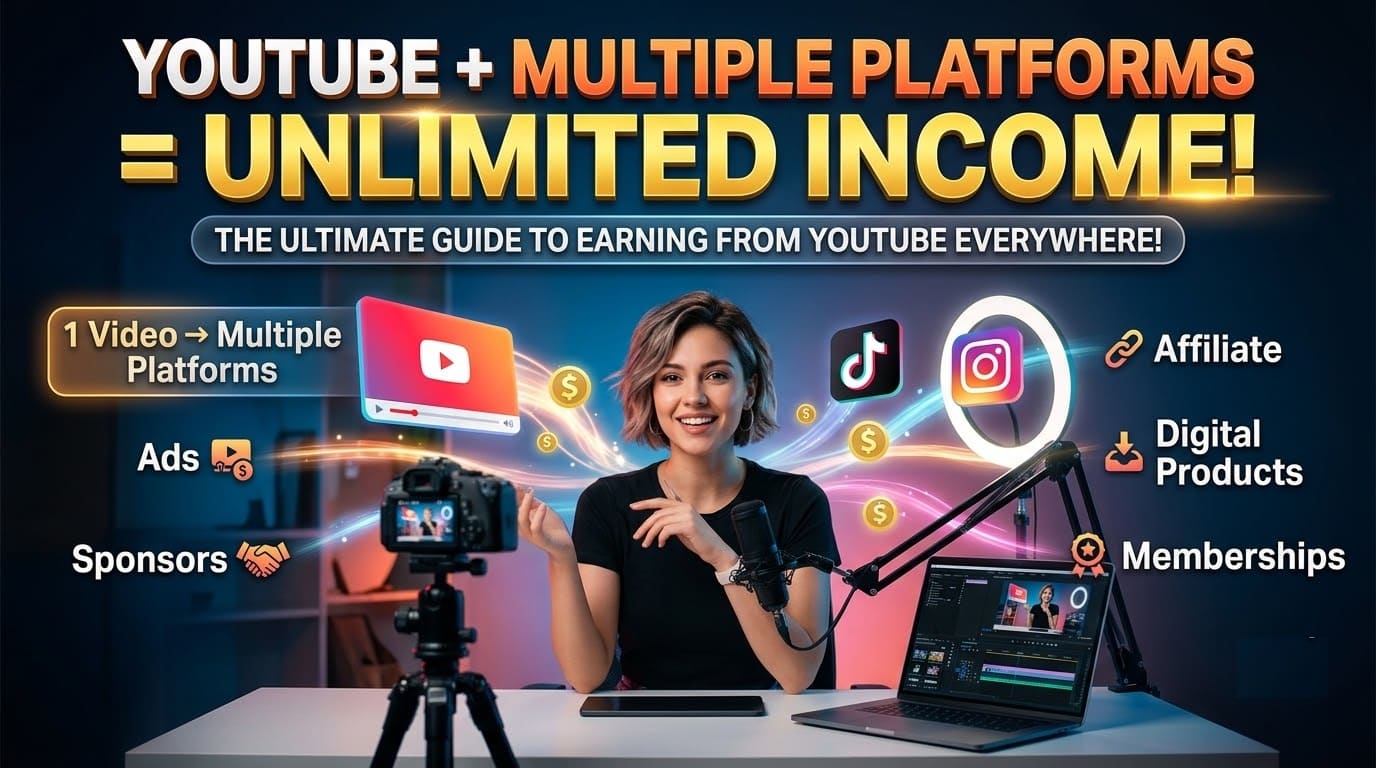
YouTube + Multiple Platforms = Unlimited Income! The Ultimate Guide to Earning from YouTube Everywhere!
 Published: September 2026 | ⏱ Reading Time: ~28 Minutes | 🗂 Category: ONLINE BUSINESS |
 For: YouTubers and Creators in the USA
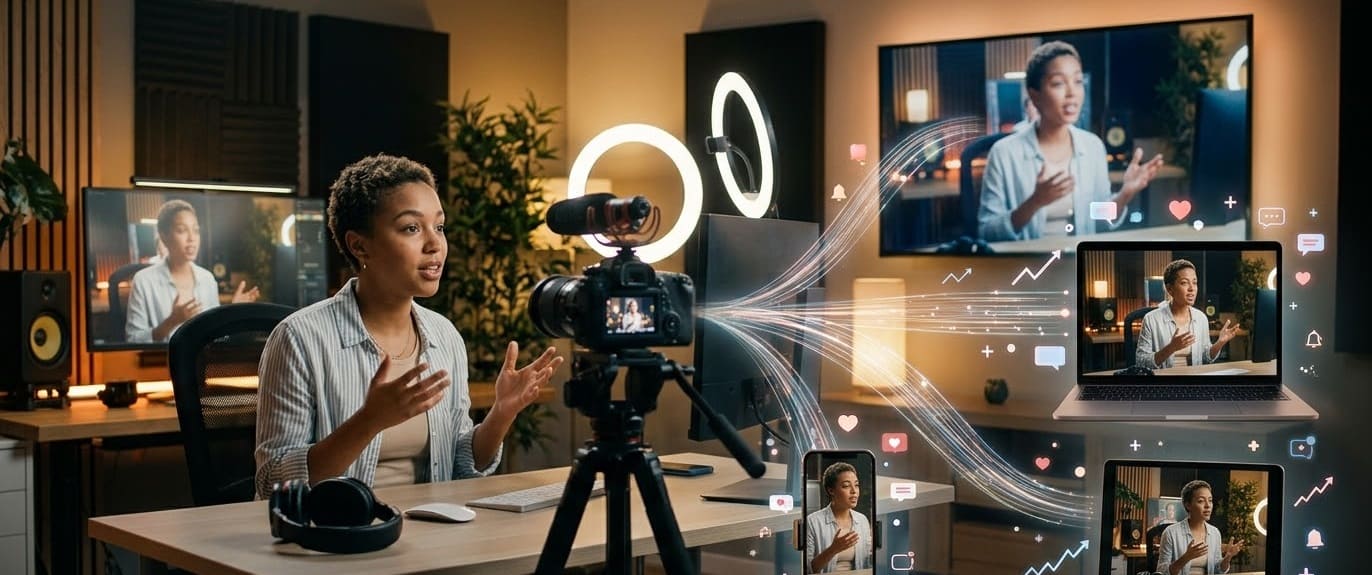
Picture a fitness coach in Denver, Colorado filming one 12-minute video on a Sunday afternoon. By Friday, that single recording has become a YouTube video, three Shorts, a TikTok, two Instagram Reels, a podcast episode, and a short email to a few hundred subscribers. Same work, seven places to earn.
That’s the promise behind this guide’s title. YouTube gives you long-form video, search traffic, and ad revenue. Other platforms give you new viewers, extra income types, and a backup plan if one platform changes its rules. Put together, they can add up to more than any one of them earns alone.
Now a straight word about “unlimited.” In this title it describes how many places you can earn, not how much you will earn. Nobody can guarantee income, and the FTC has warned businesses for years that false or exaggerated earnings claims are illegal. Treat any course that promises guaranteed money as a red flag.
Here’s what the numbers say. One 2026 creator economy survey summary found that 48.7% of creators earn under $10,000 a year, 45.6% earn between $10,000 and $100,000, and 5.7% earn more than $100,000. Creators with several income streams tend to sit higher on that ladder. That’s a pattern, and it doesn’t prove that adding platforms causes higher pay.
This guide shows how to make money on YouTube and multiple platforms in the United States. You’ll get 2026 rules, dollar examples, US tax basics, and a plan you can follow without burning out.
Let’s get into it.
📋 Table of Contents
- Why Multi-Platform Income Works (and Where “Unlimited” Stops)
- Income Stream 1: YouTube Ads, Fan Funding and the Partner Program
- Income Stream 2: Short-Form Video on TikTok, Instagram and Facebook
- Income Stream 3: Sponsorships and Brand Deals
- Income Stream 4: Affiliate Marketing
- Income Stream 5: Digital Products, Services and Shopping
- Income Stream 6: Memberships and Subscriptions
- Income Stream 7: Podcasting and Video Podcasts
- Income Stream 8: Your Email List
- The Repurposing System: One Video, Seven Places
- Platform Risk: Why You Shouldn’t Build on Rented Land
- Realistic Income Comparison: All 8 Streams
- What an Income Stack Might Look Like (Hypothetical Example)
- What It Costs to Run a Multi-Platform Creator Business in the USA
- US Taxes and Rules When You Earn From Multiple Platforms
- Multi-Platform Burnout: How Many Platforms Are Too Many?
- Your 90-Day Step-by-Step Plan
- Are You Ready to Go Multi-Platform? A Simple Decision Test
- Real Stories: Creators Building Income Stacks (Illustrative Examples)
- Red Flags and Mistakes to Avoid
- Free and Paid Tools for Multi-Platform Creators
- Quick Reference Checklist
- Frequently Asked Questions (FAQ)
- Final Thought
Why Multi-Platform Income Works (and Where “Unlimited” Stops)
The strongest argument for going multi-platform is risk. If all your income comes from one platform, one rule change can cut it almost overnight. Spreading across a few platforms and a few income types gives you more places to earn and more time to react.
It also matches how Americans already spend their time. Pew Research Center’s 2025 survey found that 84% of US adults use YouTube, so your viewers are already there. The other platforms simply meet them in different moments: a quick scroll on TikTok, a lunch break on Facebook, an evening podcast on the TV.
What You Gain From Adding Platforms Carefully
- ✅ More discovery. Short clips reach people who would never search for your long videos.
- ✅ More income types. Ads, sponsorships, affiliate links, products, and memberships pay in different ways.
- ✅ A safety net. If one program changes, the others keep running.
- ✅ Better use of every recording. One shoot can feed several channels.
- ✅ Stronger sponsor pitches. Brands like creators who can show reach in more than one place.
- ✅ Direct contact with fans. An email list lets you reach viewers without an algorithm in the middle.
| Factor | Single-Platform Creator | Multi-Platform Creator |
|---|---|---|
| Income sources | 1 to 2 | 4 to 6 (when built step by step) |
| Damage from one rule change | ❌ High | ✅ Lower |
| Time needed | ✅ Lower | ❌ Higher, so you need a system |
| Audience reach | One algorithm | Several algorithms plus an email list |
| Burnout risk | Lower per platform | ❌ Higher if unmanaged |
| Best for | Your first 6 to 12 months | Creators with a repeatable weekly routine |
Where “Unlimited” Stops
- Time. You still have the same 24 hours. Every platform needs some original effort.
- Entry bars. Each program has minimum followers, views, or watch time.
- Rules. Platforms change payout programs, and sometimes on short notice.
- Taxes and records. Every new income stream adds paperwork.
- Attention. Posting in six places badly earns less than posting in three places well.
Income Stream 1: YouTube Ads, Fan Funding and the Partner Program
YouTube is the hub of this whole system. Long-form videos earn ad revenue, build search traffic, and give sponsors something concrete to buy. The rules live on YouTube’s official Partner Program update page, and they’re about to change for new applicants.
| Stage | Requirements | What You Get |
|---|---|---|
| Fan funding tier (stays the same) | 500 subscribers, 3 public uploads in 90 days, plus 3,000 watch hours in 12 months OR 3 million Shorts views in 90 days | Super Chat, memberships, Shopping, Creator Partnerships |
| Full ad revenue (today) | 1,000 subscribers plus 4,000 public watch hours in 12 months OR 10 million Shorts views in 90 days | Ad revenue and a share of YouTube Premium revenue |
| Full ad revenue (new applicants from Feb 1, 2027) | 1,000 subscribers plus 8,000 public watch hours in 365 days OR 20 million Shorts views in 90 days | Same benefits, higher entry bar |
| Existing Partner Program members | Already approved | Not affected by the new entry bar, but must sign updated terms in YouTube Studio |
How Much Does YouTube Pay Per 1,000 Views in the USA?
Creators receive 55% of long-form ad revenue and 45% of Shorts revenue. For long-form videos with US audiences, third-party 2026 breakdowns put typical RPM at about $3 to $11 per 1,000 views. Finance and insurance topics often land higher, and gaming lands lower. At 60,000 long-form views a month, that works out to roughly $180 to $660.
Treat those numbers as estimates and check the revenue tab in your own YouTube Studio. Your audience mix matters. A channel with more US viewers usually earns more per view than one with mostly viewers in lower-paying regions.
Income Stream 2: Short-Form Video on TikTok, Instagram and Facebook
Short-form video is the easiest way to add reach, because you can cut clips from videos you already made. Each platform pays differently, and none of them pays much at first. Think of short-form as a discovery engine that sometimes also pays.
| Platform | Entry Bar (2026) | Typical Pay (Estimates) | Watch Out For |
|---|---|---|---|
| YouTube Shorts | 1,000 subscribers plus 10 million Shorts views in 90 days for full ads | $0.01 to $0.07 per 1,000 views, 45% creator share | Shorts watch time doesn’t count toward the 4,000 hours |
| TikTok Creator Rewards | 10,000 followers, 100,000 views in 30 days, age 18+, original videos over 1 minute | About $0.40 to $1.20 per 1,000 qualified views | Duets, stitches and watermarked reposts don’t qualify. Available only in some countries |
| Facebook Content Monetization | Requirements vary by page and change often. Check Meta Business Suite | Third-party estimates run from about $0.02 to $0.30 per 1,000 views | Meta merged older programs into one, and terms keep shifting |
| Subscriptions and Live Badges need 10,000+ followers. Gifts have a lower bar | No fixed per-view pay. Earnings come from gifts, subscriptions and brand deals | Best for discovery and sponsor pitches |
Meta says it paid nearly $3 billion to creators in 2025, up 35% from the year before, and about 60% of that went to Reels, according to CNBC’s reporting on Meta’s creator push. That shows Facebook wants creators, but don’t expect a big check early.
How Much Does TikTok Pay Per 1,000 Views?
TikTok doesn’t publish a fixed rate. Third-party 2026 analyses put Creator Rewards at roughly $0.40 to $1.20 per 1,000 qualified views, with US audiences toward the higher end. So 300,000 qualified views at a $0.70 RPM would come to about $210. Only qualified views count, and only original videos longer than one minute earn anything.
Can You Post the Same Video on TikTok, Instagram and YouTube?
Yes, with care. Instagram’s head Adam Mosseri has said that content you edited outside Instagram is fine, but videos carrying visible watermarks from other apps are ranked lower. In 2026 Instagram also extended its rule that stops recommending accounts made up mostly of other people’s content. TikTok’s rewards program excludes watermarked reposts, and YouTube’s inauthentic content policy targets mass-produced and repetitive uploads.
- Export clean files with no platform logos or watermarks.
- Change the hook and captions for each platform.
- Post original work you made yourself.
- Keep long-form as your home base and use clips to point viewers back to it.
Income Stream 3: Sponsorships and Brand Deals
Sponsorships are where multi-platform reach pays off fastest. Brands buy views and audience fit, not subscriber counts. Most deals are priced with one formula: average views × CPM ÷ 1,000. CPM here means what a brand pays per 1,000 expected views.
| Average Views per Video | Sponsorship CPM (Example) | Estimated Fee for One Integration |
|---|---|---|
| 5,000 | $20 | $100 |
| 10,000 | $20 | $200 |
| 25,000 | $20 | $500 |
| 50,000 | $25 | $1,250 |
CPMs vary a lot by niche. One 2026 rate guide lists the ranges below. Other guides publish different numbers, so treat them as a starting point for your own research.
| Niche | Typical Sponsorship CPM (One 2026 Rate Guide) |
|---|---|
| Gaming | $15 to $30 |
| Lifestyle | $15 to $25 |
| Education | $20 to $40 |
| Tech reviews | $25 to $45 |
| Personal finance | $30 to $60 |
| B2B software | $40 to $80 |
How Much Do Small YouTubers Charge for Sponsorships?
Rate guides put channels with 1,000 to 10,000 subscribers at about $50 to $500 per sponsored video, and channels with 10,000 to 100,000 subscribers at roughly $500 to $5,000. A dedicated video usually costs more than a short mention. Many small deals also come as free products instead of cash, so read each offer carefully.
Every paid or free-product promotion needs a clear disclosure. Say “ad” or “sponsored” plainly in the video and in the description, on every platform where you post it. The FTC’s plain-English guide is called Disclosures 101 for Social Media Influencers.
Income Stream 4: Affiliate Marketing
Affiliate links pay you a commission when a viewer buys through your link. Amazon Associates is the best-known program in the US, and it’s free to join. Rates and rules change, so always confirm them inside your Associates account.
| Amazon Associates Detail | What to Know |
|---|---|
| Commission rates | Roughly 1% to 10% by category, with a few categories higher. The rate follows the category of what the buyer purchases |
| Cookie window | 24 hours. Items added to the cart can keep credit longer, up to about 90 days |
| Qualifying sales | You need 3 qualifying sales within 180 days or Amazon can close the account |
| Payment | Direct deposit, with a $10 minimum in most reports |
| Where links can go | YouTube descriptions, blogs and some social accounts, but each property must be listed on your application |
A simple example: if viewers buy $2,000 worth of products through your links in a month and your average commission is 3%, you earn $60. That’s modest, but it adds up as your library of videos grows.
How to Do Affiliate Marketing on YouTube
- Recommend products you actually use, so you can talk about them honestly.
- Put links in the description and in a pinned comment.
- Say the disclosure out loud and write it in the description.
- Test one product link per video and see which ones get clicks.
- Check the commission rate for each category in your Associates account.
Income Stream 5: Digital Products, Services and Shopping
This stream has the highest ceiling because you set the price. You can sell templates, checklists, presets, short courses, or ebooks. You can also sell services, such as coaching, editing, or consulting, that your videos already prove you can do. YouTube Shopping opens at the 500-subscriber tier once your uploads and watch time also qualify.
How to Sell Digital Products From Your YouTube Channel
Start with one product that answers a problem your viewers keep asking about. Mention it once in a video, put the link in the description, and collect feedback from the first ten buyers. Platform fees matter more than beginners expect, so compare them first.
| Platform | Platform Fee | Notes |
|---|---|---|
| Gumroad | 10% plus $0.50 per direct sale. 30% on sales found through Gumroad’s marketplace | Card processing (about 2.9% plus $0.30) is charged on top |
| Ko-fi (free plan) | 0% on tips, 5% on shop sales and memberships | Processing fees apply. Ko-fi Gold at $12 a month removes platform fees |
| Patreon | 10% standard fee for new creators | Best for memberships. Processing fees apply |
Here’s the math on a $19 template pack, using the fees above.
| Scenario: 40 Sales of a $19 Template Pack | Gumroad | Ko-fi Free Plan |
|---|---|---|
| Gross sales | $760 | $760 |
| Platform fee | About $96 | About $38 |
| Card processing (about 2.9% + $0.30 each) | About $34 | About $34 |
| You keep (approximate) | About $630 | About $688 |
Fees change, so check each platform’s current pricing page before you pick one.
Income Stream 6: Memberships and Subscriptions
Memberships turn your most loyal viewers into steady monthly income. You don’t need thousands of fans. A small group paying a few dollars a month can matter more than a spike of ad revenue. YouTube memberships open at the 500-subscriber tier, and outside platforms give you more control.
| Platform | What You Keep From $1,000 a Month (200 Members Paying $5) |
|---|---|
| Ko-fi | $861 |
| Buy Me a Coffee | $851 |
| Patreon | $811 |
| Substack | $804 |
| Gumroad | $711 |
The table assumes US cards and US dollar payouts, and it comes from one fee comparison built on each platform’s own pricing pages. Your result will differ a little.
Patreon vs Substack vs Ko-fi: What You Keep
Patreon takes a 10% standard fee for new creators, plus processing. Substack also takes 10%, plus Stripe processing and a small recurring billing charge. Ko-fi’s free plan charges nothing on tips and 5% on memberships and shop sales. Patreon has the most built-in tools for video and community. Ko-fi is the cheapest place to start. Substack works best if writing is your main format.
Income Stream 7: Podcasting and Video Podcasts
Edison Research reported that YouTube has become the most popular service for podcast listening in the US. In one 2026 summary of Edison data, 39% of weekly podcast consumers said they use YouTube most often, compared with 20% for Spotify and 11% for Apple Podcasts. YouTube also said in early 2025 that it had more than 1 billion monthly podcast viewers.
Is Podcasting Worth It for YouTubers?
If your videos are mostly talking (interviews, tutorials, commentary), yes. You already have the audio. Podcasts earn mostly through sponsorships and affiliate links, so treat a podcast as one more door into your audience. It won’t replace your main channel.
| Option | Cost | Notes |
|---|---|---|
| Publish the full episode to YouTube as a video | $0 | Uses the same channel and audience you already have |
| Upload the audio to a podcast host | $0 to low, and prices vary | Sends your show to Spotify and Apple Podcasts |
| Join the Spotify Partner Program | Free | Spotify lowered its bar in January 2026. One report lists 1,000 engaged listeners over 30 days, 2,000 hours, and 3 episodes. Confirm the current rules on Spotify’s site |

Income Stream 8: Your Email List
An email list won’t make you rich by itself. It does something more important. It gives you a direct line to your audience that no algorithm controls. You can announce a product, share a sponsor offer, or tell people where you’ve moved, and you don’t have to hope a platform shows your post.
| Where Your Audience Lives | Who Controls Your Reach? | What You Can Lose |
|---|---|---|
| YouTube, TikTok, Instagram, Facebook | The platform | Reach, income programs, or the account itself |
| Your email list | You | Very little. Most tools let you export your list |
How to Build an Email List From YouTube
- Offer one free, useful thing, like a checklist or a template.
- Put the sign-up link at the top of your description and in a pinned comment.
- Mention it once in each video, at a natural moment.
- Send a short email every week or two, even if the list is small.
- Use the list to announce products and sponsor offers first.
The Repurposing System: One Video, Seven Places
Repurposing means turning one recording into several pieces, each shaped for its platform. Done well, it saves hours. Done badly, it looks like spam and gets ignored. Here’s a simple weekly system.
| Asset | Format | Where It Goes | Extra Time (Estimate) |
|---|---|---|---|
| Main video | 8 to 15 minutes, horizontal | YouTube | Your main work |
| Shorts | 3 clips under 60 seconds | YouTube Shorts | 30 to 45 minutes |
| TikTok | 1 clip over one minute for Creator Rewards | TikTok | 15 minutes |
| Reels | 2 vertical clips | Instagram and Facebook | 20 minutes |
| Podcast | Audio from the main video | Spotify and Apple Podcasts | 20 to 30 minutes |
| Newsletter | 5 sentences and a link | Email list | 15 to 20 minutes |
A Simple Weekly Repurposing Workflow
- Film once. Record the main video and note the three best moments.
- Cut the clips. Pick moments that make sense without context, each with a clear first line.
- Export clean. Save files without logos or watermarks.
- Rewrite the hook per platform. A TikTok caption and an email subject line need different words.
- Schedule the week. Post clips on different days so each one gets its own attention.
- Track the results. Note which clip sent the most viewers back to YouTube.
Platform Risk: Why You Shouldn’t Build on Rented Land
Every platform you use is rented land. The owner can change the rules, and recent history shows they do. Use the platforms, but never depend on just one of them.
| Platform | What Changed | When | Lesson |
|---|---|---|---|
| TikTok (US) | A majority American-owned joint venture took over US operations after a ban threat. ByteDance holds 19.9% | January 2026 | Ownership and rules can shift fast |
| Meta (Facebook) | Older bonus programs and in-stream ads were folded into one Content Monetization program | August 31, 2025 | Programs get replaced |
| YouTube | Entry thresholds for new ad-revenue applicants double | February 1, 2027 | Big changes can come with months of notice |
| Accounts posting mostly other people’s content lose recommendations | 2026 (extended beyond Reels) | Original work is rewarded | |
| Spotify | Podcast Partner Program requirements were lowered | January 2026 | Rules can also get easier |
| Amazon Associates | Accounts close if you miss 3 qualifying sales in 180 days | Ongoing | Programs have conditions to keep |
The practical answer is simple. Build one home base on YouTube, add a few satellites, and grow an email list that you own.
Realistic Income Comparison: All 8 Streams
| # | Income Stream | Entry Bar | What the Sources Suggest | Time to First Dollar (Estimate) |
|---|---|---|---|---|
| 1 | YouTube Partner Program | 500 subs (fan funding) or 1,000 subs plus watch hours | US RPM about $3 to $11 per 1,000 long-form views | 6 to 18 months |
| 2 | Short-form on other platforms | Varies. TikTok needs 10,000 followers | $0.01 to $1.20 per 1,000 views depending on platform | 3 to 12 months |
| 3 | Sponsorships | None official, but brands want views and niche fit | $50 to $500 (small) and $500 to $5,000 (mid-size) per video | 3 to 12 months |
| 4 | Affiliate marketing | Free to join. Amazon wants 3 sales in 180 days | Roughly 1% to 10% commission | 1 to 3 months |
| 5 | Digital products and services | None | You keep roughly 80% to 90% of a sale after fees | 1 to 3 months |
| 6 | Memberships | A small loyal audience | You keep about 71% to 86% of gross on the platforms compared | 2 to 6 months |
| 7 | Podcasting | Varies by platform | Mostly sponsor and affiliate income | 6 to 12 months |
| 8 | Email list | None | Indirect. It boosts every other stream | Starts on day 1, pays later |
Timelines are rough estimates, not guarantees. Fees and rates change, so confirm before you plan around them.
What an Income Stack Might Look Like (Hypothetical Example)
This is a made-up example built from the ranges above. It is not a forecast and not a real person.
Imagine a Denver fitness channel with 10,000 subscribers and an average of 8,000 views per long-form video. Here’s one plausible month after a year or two of steady work.
| Income Stream | Assumption | Monthly Result |
|---|---|---|
| YouTube ads | 60,000 views at a $5 RPM | $300 |
| Sponsorship | 1 integration at 8,000 views and a $25 CPM | $200 |
| Affiliate links | $1,500 in sales at 4% commission | $60 |
| Digital product | 25 sales of a $19 template pack, after fees | About $394 |
| Membership | 30 members at $5, after about 19% in fees | About $122 |
| TikTok Creator Rewards | 300,000 qualified views at a $0.70 RPM | $210 |
| Total | About $1,286 |
Notice what drives that total. No single stream carries it. Ads, products, and sponsors each contribute, so one slow month in a stream doesn’t wipe out the rest. That’s the real value of stacking. Also notice what it took: a real audience, months of consistent posting, and time spent on each stream.
What It Costs to Run a Multi-Platform Creator Business in the USA
You can start for very little. The estimates below are rough and vary by brand and store.
| Item | Beginner Cost (Estimate) | Notes |
|---|---|---|
| Camera | $0 (your smartphone) | Good light matters more than a new camera |
| Microphone | $25 to $100 | Clear audio keeps people watching |
| Lighting | $0 to $60 | A window works for many creators |
| Editing software | $0 | Free versions of popular editors are available |
| Canva (optional Pro) | $0, or roughly $12 to $18 a month | For thumbnails and clip covers |
| Email list tool | $0 to start | Paid tiers usually begin as your list grows |
| Payment processing | About 2.9% plus $0.30 per sale | Charged by most payment processors |
| Tax set-aside | About 25% to 30% of income | A common rule of thumb, not an official rate |
Business Setup Costs by US State (City Examples)
You don’t need an LLC to start. Many US creators begin as sole proprietors and form a business entity later. If you do form one, state fees differ. These figures come from 2026 state fee guides, so confirm them on your Secretary of State’s website.
| City | State Income Tax | LLC Formation Fee (State Filing) | Extra Costs to Know |
|---|---|---|---|
| Austin, Texas | None | About $300 | Some filings may need a notary ($2 to $16 per signature) |
| Tampa, Florida | None | $125 to $175 | Annual report required, with penalties for missing it |
| Denver, Colorado | Yes | About $50 | Annual report fee applies |
| Sacramento, California | Yes (1% to 13.3%) | About $70 | Minimum $800 annual franchise tax for most LLCs |
| New York, New York | Yes (4% to 10.9%) | State filing fee | Newspaper publication can add $500 to $1,200 |
US Taxes and Rules When You Earn From Multiple Platforms
More platforms means more income sources, and the IRS wants all of it reported. The good news is that the core rules stay the same across streams. This CPA guide for content creators covers the details, including the current thresholds.
| Topic | What to Know | What to Do |
|---|---|---|
| Filing threshold | Net self-employment earnings of $400 or more generally mean you must file and pay self-employment tax | Track income and expenses from your first dollar |
| Self-employment tax | 12.4% Social Security (up to $184,500 of earnings for 2026) plus 2.9% Medicare. Net profit is generally multiplied by 92.35% first | Report on Schedule SE with your Form 1040 |
| Where income goes | Ads, sponsorships, affiliate commissions, product sales and memberships all count | Report on Schedule C, even if no form arrives |
| 1099 forms | For 2026 payments, the reporting threshold for many business payments rose from $600 to $2,000. The 1099-K threshold returned to more than $20,000 and more than 200 transactions | Report all income anyway. No form doesn’t mean no tax |
| Estimated payments | Generally required if you expect to owe $1,000 or more. The next 2026 tax-year deadline is January 15, 2027 | Many creators set aside about 25% to 30% of each payment |
| State taxes | Vary by state. Texas and Florida have no state income tax. California and New York do | Check your state’s revenue department |
| Sales tax on digital products | Rules vary by state and by platform | Ask your platform what it collects and check your state |
Taxes on Multiple Income Streams in the USA
Keep one simple spreadsheet with a row for every payment: date, platform, stream, amount, and any fee. Open a separate savings account for taxes and move a fixed percentage into it every time you get paid. If your income grows, talk to a tax professional. This is general information, not personal tax advice.
A creator in Nashville, Tennessee and a creator in Los Angeles, California will owe different amounts at the state level, and both need clean records. Start the habit early. It’s far easier than sorting out a full year of payments in April.
Multi-Platform Burnout: How Many Platforms Are Too Many?
Adding platforms adds work. A Billion Dollar Boy survey of 1,000 creators in the US and UK found that 52% had experienced burnout and 37% were considering leaving the profession. Creative fatigue topped the list of causes. Multi-platform posting can make that worse if you try to be everywhere at once.
The One Home Base Plus Two Satellites Rule
| Stage | Platforms | Focus |
|---|---|---|
| Months 1 to 6 | YouTube only (long-form and Shorts) | Build a repeatable schedule and learn your audience |
| Months 6 to 12 | Add 1 short-form platform and an email list | Repurpose clips, do not start from scratch |
| Year 2 | Add 1 income stream at a time | Start with affiliate links or one digital product |
| Ongoing | Home base plus two satellites | Cut anything that costs more time than it returns |
- Add one platform at a time and give it 90 days before judging it.
- If a platform earns nothing and brings no viewers back to YouTube, drop it.
- Batch your work: film once, cut clips once, schedule the week once.
- Take a planned rest week every couple of months.
Your 90-Day Step-by-Step Plan
Here’s a plan that adds income in a sensible order and protects your energy.
- Pick your home base and topic. Finish this sentence: “I make videos about ___ for ___.” Keep YouTube as the center.
- Set a schedule you can hold. One long video a week is enough to start.
- Turn each video into three clips. Post them on YouTube Shorts first, then add one more platform.
- Start your email list. Create one free download and link it in every description.
- Add affiliate links. Recommend two or three products you actually use, with clear disclosure.
- Create one small product or service. A $9 to $29 template or a paid consult is plenty for a first test.
- Review at day 30, 60 and 90. Track views, email sign-ups, and dollars per stream. Cut what isn’t working.
Notice that sponsorships and memberships aren’t on this list yet. They usually work better once you have an audience and a track record.
Are You Ready to Go Multi-Platform? A Simple Decision Test
| Question | If Yes | If No |
|---|---|---|
| Have you posted on YouTube weekly for at least 3 months? | You have a base to build on | Focus on YouTube first |
| Do you have 10 or more videos with clear topics? | You have material to repurpose | Make more videos first |
| Can you handle 2 to 3 extra hours a week? | Add one platform | Wait, or drop something else |
| Do you have a place to collect emails? | Good, keep sending | Set one up this week |
| Are you tracking income and expenses? | You’re ready for more streams | Start a simple spreadsheet now |
| Do you still enjoy making videos? | Keep going | Fix that before adding anything |
Real Stories: Creators Building Income Stacks (Illustrative Examples)
These are made-up examples based on common patterns. They are not real people or real results.
Story 1: Renee, 36 — Fitness Coach, Denver, Colorado
Renee posted one long video a week for a year and cut each one into three Shorts. Her first dollars came from affiliate links: $42 in month five. In month eleven a snack brand paid her $300 for one integration. She then sold a $19 workout template pack, and by month fourteen her combined monthly income from four streams sat near $1,150. She says the email list mattered most, because it sold the first 25 copies of the pack.
Story 2: Terrell, 27 — Delivery Driver, Atlanta, Georgia
Terrell made phone repair tutorials on YouTube and reposted clean, watermark-free clips to TikTok. After 18 months he reached the TikTok Creator Rewards bar and earned about $85 in his first month. YouTube ads added about $190. A small repair-tool company paid him $250 for a sponsored video. He kept a $60 microphone and a spreadsheet for every payment, so tax time was easy.
Story 3: Amy, 45 — Middle School Teacher, Portland, Oregon
Amy made short videos about classroom organization and sold printable planners for $12 each. She used Ko-fi’s free plan, kept about 95% before card fees, and never joined a program she didn’t need. Her monthly product income ran around $300 to $450 during the school year. She says starting with one platform and one product kept her from burning out.
Story 4: Luis, 31 — Line Cook, Miami, Florida
Luis posted cooking clips on six platforms at once and was exhausted within four months. He cut back to YouTube, TikTok, and an email list, and added Amazon affiliate links for knives and pans. His combined income rose from about $410 to $780 a month over the next six months. He says fewer platforms with better clips beat more platforms with rushed ones.
Red Flags and Mistakes to Avoid
- “Unlimited income” or “guaranteed income” promises. No honest teacher can guarantee earnings, and the FTC treats exaggerated income claims as a serious problem.
- Courses that charge upfront for a “secret system.” Anything you need is free to research on the platforms’ own help pages.
- Posting everywhere on day one. Spreading thin usually means a weaker video on every platform.
- Reposting with visible watermarks. Instagram ranks those lower, and TikTok’s rewards program excludes them.
- Skipping disclosures. Sponsored posts and affiliate links need a clear label everywhere you post them.
- Buying followers or views. It breaks platform rules and can end your monetization.
- Building on one platform only. Rules change, so keep an email list.
- Ignoring taxes. Every stream is taxable, even without a form.
Free and Paid Tools for Multi-Platform Creators
| Tool | What It Does | Free or Paid? | Why You Need It |
|---|---|---|---|
| YouTube Studio | Analytics, Earn tab, retention graphs | ✅ Free | Your main dashboard |
| Canva | Thumbnails and clip covers | ✅ Free plan, Pro roughly $12 to $18/month | Fast, consistent visuals |
| Free video editors | Cutting clips, captions, basic effects | ✅ Free versions available | Turn one video into many clips |
| Meta Business Suite | Facebook and Instagram scheduling and monetization status | ✅ Free | See your eligibility in one place |
| Ko-fi | Tips, shop, memberships | ✅ Free plan (0% on tips, 5% on shop sales) | Cheap place to start selling |
| Gumroad | Digital product sales | 10% plus $0.50 per direct sale | Simple checkout for templates and guides |
| Patreon or Substack | Memberships and paid newsletters | 10% platform fee plus processing | Recurring income from loyal fans |
| Amazon Associates | Affiliate links | ✅ Free to join | Commissions on products you recommend |
| Google Sheets | Income, expense and content tracking | ✅ Free | Keeps your records ready for tax time |
✅ Quick Reference Checklist — Your Action Plan
| ☐ | Action Step | Priority | When to Do It |
|---|---|---|---|
| ☐ | Choose your home base (YouTube) and your one-sentence topic | 🔴 Critical | Today |
| ☐ | Set a weekly schedule you can hold on your worst week | 🔴 Critical | This week |
| ☐ | Open a spreadsheet for income and expenses | 🔴 Critical | This week |
| ☐ | Check your progress in the YouTube Studio Earn tab | 🟠 High | This week |
| ☐ | Start an email list with one free download | 🟠 High | Weeks 1 to 4 |
| ☐ | Cut each video into 3 clean clips | 🟠 High | Every upload |
| ☐ | Add one short-form platform and give it 90 days | 🟠 High | Month 2 or 3 |
| ☐ | Add affiliate links with a clear disclosure | 🟡 Medium | Month 2 |
| ☐ | Create one small paid product or service | 🟡 Medium | Month 3 |
| ☐ | Open a savings account for taxes and set aside 25% to 30% | 🟡 Medium | Before your first payout |
| ☐ | Review results at day 30, 60 and 90 and cut what isn’t working | 🟡 Medium | Days 30, 60, 90 |
Frequently Asked Questions (FAQ)
1. Can you really earn unlimited income from YouTube and multiple platforms?
There is no cap on how many places you can earn, but there is no guarantee about how much you will earn. Survey summaries suggest about half of creators earn under $10,000 a year, and only a small share pass $100,000. Multiple income streams can make your income steadier and often higher, but results depend on your audience, your niche, and your effort. Be careful with anyone who promises guaranteed money.
2. Which platforms should a beginner add after YouTube?
Start with YouTube Shorts, since it uses the same account, then add one more short-form platform such as TikTok or Instagram Reels. Also start an email list early. Give each new platform about 90 days before you judge it, and don’t add more than one at a time.
3. How much does TikTok pay per 1,000 views in the USA?
TikTok doesn’t publish a fixed rate. Third-party 2026 analyses put Creator Rewards at about $0.40 to $1.20 per 1,000 qualified views, with US audiences toward the higher end. You need 10,000 followers and 100,000 views in 30 days, and only original videos over one minute earn. For example, 300,000 qualified views at $0.70 per 1,000 would pay about $210.
4. Can I post my YouTube Shorts on TikTok and Instagram Reels?
Yes, but export the clip without watermarks and adjust the caption and hook for each platform. Instagram ranks videos with visible watermarks from other apps lower, and TikTok’s rewards program excludes watermarked reposts. Both platforms favor original work, so don’t build an account out of other people’s content.
5. How much can small YouTubers charge for sponsorships in the USA?
Rate guides put channels with 1,000 to 10,000 subscribers at about $50 to $500 per video, and channels with 10,000 to 100,000 subscribers at about $500 to $5,000. Most deals are priced by average views times a CPM, which ranges from roughly $15 to $60 per 1,000 views depending on niche. For example, 25,000 views at a $20 CPM comes to about $500. Always disclose sponsorships clearly.
6. How much do Patreon, Substack, Gumroad and Ko-fi take?
Patreon takes a 10% standard fee for new creators. Substack takes 10% plus Stripe processing. Gumroad charges 10% plus $0.50 per direct sale, and 30% on sales found through its marketplace. Ko-fi’s free plan charges 0% on tips and 5% on shop sales and memberships. Card processing of about 2.9% plus $0.30 usually applies on top, and fees can change.
7. Do I pay taxes on income from multiple platforms in the US?
Yes. The IRS generally treats creator income as self-employment income, and net earnings of $400 or more create a filing requirement. You report all streams on Schedule C and pay self-employment tax of 15.3% on net profit, after the standard adjustment. You owe tax even if a platform doesn’t send a form, and state rules differ. This is general information, not tax advice.
8. How many platforms should a creator use?
Most creators do best with one home base plus two satellites. For example, YouTube as the main channel, one short-form platform for discovery, and an email list you own. More platforms can work later if you have a system, but posting everywhere at once often leads to burnout and weaker content.
Final Thought
If you’re a coach in Denver, a driver in Atlanta, a teacher in Portland, or a cook in Miami, the idea is the same. One video can do more than one job. It can earn ad revenue, bring in new viewers, support a sponsor, sell a product, and grow an email list.
The word “unlimited” is fun in a title. In real life the limits are your time, your energy, and each platform’s rules. Knowing the limits is useful, because it helps you build an income that survives a bad month or a rule change.
So start small. Keep YouTube as your home base, add one platform at a time, and put every dollar you earn into a simple spreadsheet. Keep an email list so your audience is never entirely in someone else’s hands.
Then be patient. Most income stacks take a year or more to fill in. A creator in Nashville, Austin, or Sacramento starts from the same place as anyone else: one video, one clip, one sign-up form.
Recap: Build a home base ✅ Add platforms slowly ✅ Stack income types ✅ Disclose and track everything ✅ Own your audience ✅
Now it’s time to take action and get started today! 🚀
Found this guide useful? Share it with a friend who wants to earn from more than one platform.
Disclaimer: Earnings, rates and timelines mentioned here are ranges from published sources and are not guarantees. Platform rules, fees and thresholds change often, so confirm current details with each platform. Tax and legal information is general and not personal advice.