
Why People Quit YouTube Too Soon & How to Avoid It!
 Published: September 2026 | ⏱ Reading Time: ~25 Minutes | 🗂 Category: SOCIAL MEDIA TIPS |
 For: Beginner YouTubers and Creators in the USA
Imagine a warehouse supervisor in Columbus, Ohio. He starts a YouTube channel on a Sunday night, posts twelve videos over three months, and watches most of them stall at 40 or 50 views. In week thirteen he opens YouTube Studio, shrugs, and deletes the whole thing. Nobody noticed. That is how a lot of channels end.
He isn’t unusual. Among channels with at least one subscriber, vidIQ’s July 2026 study of 61 million channels found that about 40.6% had reached 1,000 subscribers, only 7.9% had reached 10,000, and just 1.3% had passed 100,000. The climb gets steep fast. And it wears people down.
Timing matters more this year, too. In August 2026, YouTube announced that starting February 1, 2027, new creators applying for ad revenue will need double the current watch time or Shorts views. Don’t panic about it. Do learn the rules before you decide to walk away.
This guide explains why people quit YouTube too soon, what the real numbers look like for creators in the United States, and how to avoid the mistakes that push beginners out early. We’ll cover growth timelines, Partner Program rules, burnout, money, thumbnails, upload schedules, Shorts, and even US taxes. You’ll get tables, a 90-day plan, and a checklist you can use today.
Let’s get into it.
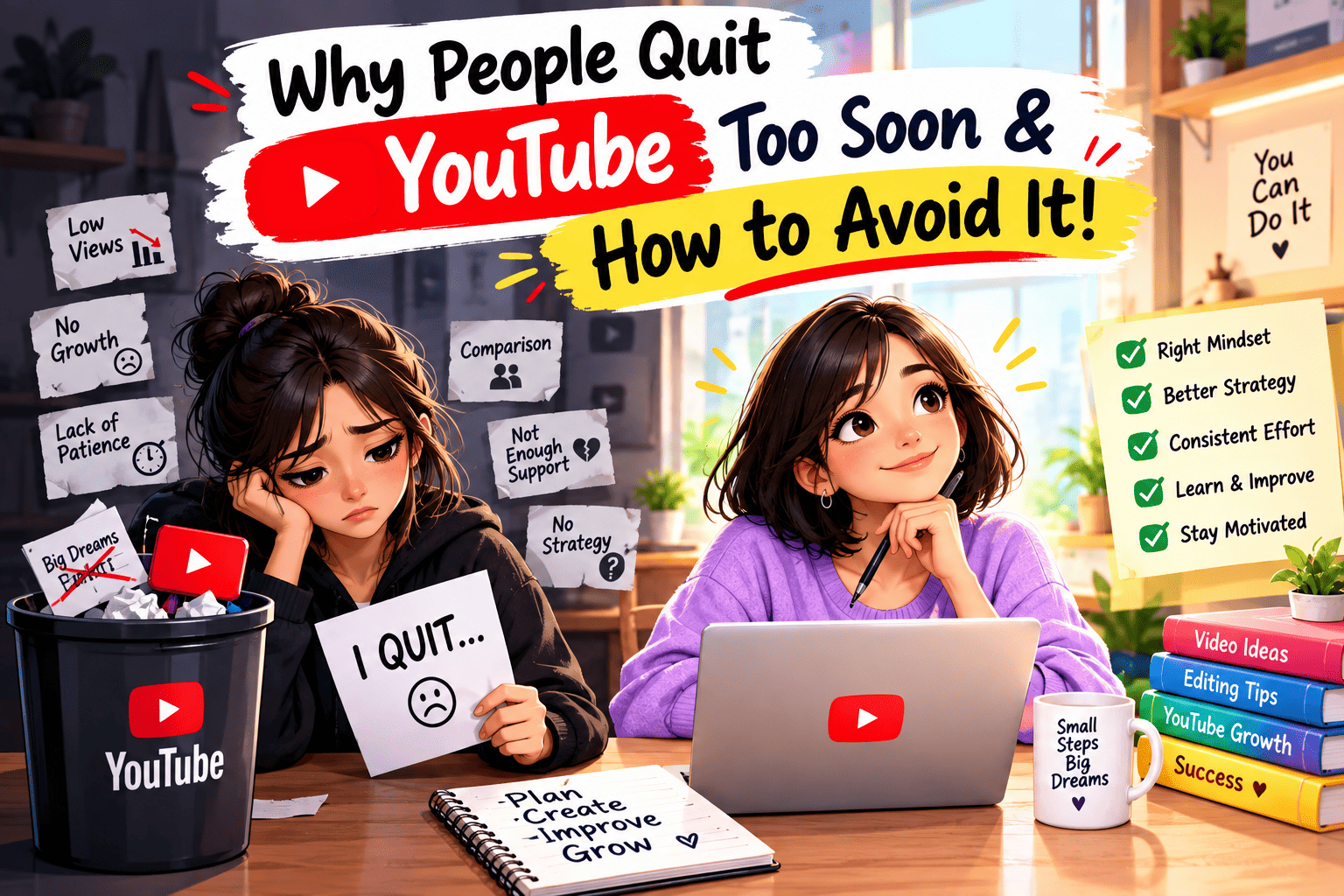
 Table of Contents
- Why People Quit YouTube Too Soon (and Why It Matters in the USA)
- Reason 1: They Expect Fast Growth
- Reason 2: They Misread the YouTube Partner Program Requirements
- Reason 3: YouTube Burnout Catches Them First
- Reason 4: They Expect Big Money Too Soon
- Reason 5: Weak Thumbnails, Titles and Retention
- Reason 6: A Posting Schedule They Can’t Keep
- Reason 7: They Chase the Wrong Format
- Reason 8: They Ignore the Business Side (US Taxes and FTC Rules)
- What It Costs to Run a YouTube Channel in the USA
- Quitters vs Stayers: Side-by-Side Comparison
- Where to Learn, Track and Get Feedback
- How to Avoid Quitting: A 90-Day Step-by-Step Plan
- Should You Quit YouTube? A Simple Decision Test
- Real Stories: Creators Who Almost Quit (Illustrative Examples)
- Red Flags and Mistakes to Avoid
- Free and Paid Tools for Small Channels
- Quick Reference Checklist
- Frequently Asked Questions (FAQ)
- Final Thought
Why People Quit YouTube Too Soon (and Why It Matters in the USA)
YouTube is part of daily life in America. Pew Research Center’s 2025 social media survey found that 84% of US adults use YouTube, and about a third say they visit it several times a day. The money side is big too. YouTube’s 2024 US impact report, built with Oxford Economics, says its creative ecosystem contributed $55 billion to US GDP and supported the equivalent of 490,000 full-time jobs. That includes editors, managers, and companies that serve creators, not only people who upload videos.
So the opportunity is real. The trouble is the quiet middle. The first week is exciting. The results come months later. In between, most beginners see tiny numbers, compare themselves to creators five years ahead, and stop. The reasons are predictable, which means they’re fixable.
What You Get From Staying Past the Quiet Middle
 A real sample size. After 40 videos you can see patterns. After 8, you’re guessing.
- Better skills. Hooks, pacing, thumbnails and editing all improve with repetition.
- Older videos that keep working. A video that ranks in search can bring viewers for months.
- A shot at the early monetization tier. Fan funding opens at 500 subscribers, well before full ads.
- Proof for sponsors. Brands want a channel with a history, not a week-old upload.
- Skills you can use anywhere. Video editing, speaking on camera, and basic marketing.
| What You Get | Quit at Month 3 | Keep Going for 12 Months |
|---|---|---|
| Videos published (weekly schedule) | About 12 | About 52 |
| Learning from analytics |  Almost nothing to learn from |
Clear patterns in what your viewers finish |
| Chance of reaching 500 subscribers | Very low |
 Realistic for many consistent creators (not guaranteed) |
| Chance of any YouTube income | None |
Possible, not promised |
| Money spent so far | $0 to $200 plus your time | Same, plus more time |
| Regret risk | High: you never learn how it would have gone |
Lower: you’ll know your real result |
Reason 1: They Expect Fast Growth (How Long Does It Take to Grow on YouTube?)
The most common reason people quit is a mismatch between what they expected and what actually happens. Videos about overnight success are everywhere. The slow version rarely gets uploaded.
So, how long does it take to grow on YouTube? It depends on your niche, your format, and some luck, so nobody can hand you an exact date. What the data does show is how steep each step is.
| Subscriber Milestone | Share of Channels That Reached It (vidIQ, July 2026) |
|---|---|
| 1,000 subscribers | 40.6% |
| 10,000 subscribers | 7.9% |
| 100,000 subscribers | 1.3% |
| 1,000,000 subscribers | 0.13% |
Keep in mind that this sample only counts channels with at least one public subscriber. It says nothing about the huge number of channels that never got one.
An earlier vidIQ analysis of more than 5 million channels that had already reached 1,000 subscribers found something useful. The most common path involved posting 150 or more videos, which described nearly 31% of those channels. Only about 10% got there with fewer than 10 videos, and those channels often had an outside boost such as a viral moment. One caution: every channel in that dataset belonged to a vidIQ user.
How Many Videos Should You Post Before Deciding to Quit?
There is no official number. But quitting at video 10 tells you almost nothing. A practical test is to commit to 50 videos, review your numbers at video 25 and video 50, and then make a decision with real information. Common industry estimates for creators who post weekly run from 6 to 12 months to reach 1,000 subscribers, though many take longer.
- Judge yourself by videos published, not by subscribers gained.
- Set a 50-video minimum before you decide anything big.
- Track one growth number a month. Just one.
- Do a Day 90 review: which three videos did best, and why?
Why Is My YouTube Channel Not Growing?
If a small channel isn’t growing, the cause is usually one of five things. Check them in this order.
- Too few videos. Under 20 uploads gives you almost no data to learn from.
- No clear topic. Viewers and YouTube can’t tell who the channel is for.
- Weak packaging. A low click-through rate means people scroll past your thumbnail and title.
- Low retention. People click, then leave in the first 30 seconds.
- Long gaps between uploads. Momentum fades fast in the first year.
How to Get Your First 1,000 Subscribers on YouTube
Treat the first 1,000 as a project with steps, not a lottery.
- Pick a narrow topic so the right viewers know why to subscribe.
- Ask for the subscribe once, in the middle of a video that already delivered value.
- Answer questions people already search for, so older videos keep working.
- Reply to every early comment. It builds a small core audience.
- Aim for 500 first. With the required uploads and watch time, that milestone opens fan funding and other early tools.
Reason 2: They Misread the YouTube Partner Program Requirements (and the 2027 Changes)
Plenty of beginners quit because they think monetization is out of reach, or because they misunderstand what it takes. The YouTube Partner Program requirements have two tiers, and the rules are about to change for new applicants. Here is the current picture, based on YouTube’s official Partner Program update page.
| Stage | Subscribers | Watch Time or Shorts Views | What You Get |
|---|---|---|---|
| Fan funding tier (today and after Feb 1, 2027) | 500 (plus 3 public uploads in the last 90 days) | 3,000 watch hours in 12 months OR 3 million Shorts views in 90 days | Super Chat, memberships, Shopping, Creator Partnerships |
| Full ad revenue (today) | 1,000 | 4,000 watch hours in 12 months OR 10 million Shorts views in 90 days | Ad revenue and a share of YouTube Premium revenue |
| Full ad revenue (new applicants from Feb 1, 2027) | 1,000 | 8,000 watch hours in 365 days OR 20 million Shorts views in 90 days | Same benefits, higher entry bar |
| Creators already in the program | Already approved | Not affected by the new entry bar | Must sign the updated terms in YouTube Studio |
Details That Trip People Up
- Watch hours and Shorts views are separate paths. You qualify with one or the other, and they never combine.
- Watch time from the Shorts feed doesn’t count toward the 4,000 public watch hours.
- You need two-step verification turned on and no active Community Guidelines strikes.
- Review usually takes about a month after you apply, so plan for that gap.
- Your progress shows in the Earn tab of YouTube Studio, so you don’t have to guess.
What the February 2027 Change Means for You
If you’re already a Partner Program member, your status isn’t affected by the new entry thresholds. The fan funding tier at 500 subscribers stays the same. For new applicants going after ad revenue, the bar doubles.
YouTube also said it plans new programs for smaller channels, including bonuses tied to Shopping, incentives for brand deals, and boosts for starting and growing trends. No amounts had been published at the time of writing, so treat those as possible extras, not a plan.
Skip the rush. Open the Earn tab, see where you actually stand, and decide with real numbers.

Reason 3: YouTube Burnout Catches Them First
Some people don’t fail. They get tired. A survey by Billion Dollar Boy of 1,000 creators and 1,000 senior marketers across the US and UK found that 52% of creators had experienced burnout, and 37% were actively considering leaving the profession.
Among the creators who had burned out, financial instability ranked as the most severe cause, cited by 55%. That matters for beginners. If your channel isn’t paying yet, the pressure to make it pay can flatten your motivation quickly.
| Burnout Trigger (Billion Dollar Boy) | Share Who Cited It | What Helps |
|---|---|---|
| Creative fatigue | 40% | Keep a running ideas list and film in batches so you never start from a blank page |
| Demanding workloads | 31% | Pick a schedule you can hold in your worst week, not your best |
| Constant screen time | 27% | Set fixed work hours and take one full day off each week |
| Financial instability (ranked most severe) | 55% of burned-out creators | Keep your day job or steady income while the channel grows |
How to Avoid YouTube Burnout
- Film two or three videos in one sitting, then edit across the week.
- Build a buffer of four finished videos before you publish anything.
- Check your analytics once a week, not once an hour.
- Take a planned rest week every couple of months and tell your audience.
- Write down why you started. Read it on the bad days.
Warning Signs of YouTube Burnout
- You dread filming days you used to look forward to.
- You check your stats compulsively, then feel worse.
- Every idea feels like a copy of something you already made.
- You skip sleep or family time to hit a deadline nobody set but you.
- You feel relief, not disappointment, when you miss an upload.
Two or three of these for a few weeks is a signal to cut your schedule, not push harder.
Reason 4: They Expect Big Money Too Soon (How Much Do YouTubers Make in the USA?)
Many beginners quit after seeing their first revenue report. It’s usually small. That’s normal, and the numbers explain why.
RPM is the revenue you keep per 1,000 views after YouTube takes its share. It swings by niche, country, and format. US audiences tend to pay more than most other countries because advertisers spend more to reach them. The ranges below come from third-party 2026 breakdowns, so treat them as estimates and check your own YouTube Studio numbers.
| Format / Niche (US Audience) | Typical RPM per 1,000 Views | 1 Million Views Is Roughly | Creator Share |
|---|---|---|---|
| Long-form, general content | $3 to $11 | $3,000 to $11,000 | 55% of ad revenue |
| Long-form, finance and insurance | $8 to $20+ | $8,000 to $20,000+ | 55% of ad revenue |
| Long-form, gaming | $1.50 to $4 | $1,500 to $4,000 | 55% of ad revenue |
| YouTube Shorts | $0.01 to $0.07 | $10 to $70 | 45% of Shorts revenue |
Simple Math, Not a Promise
- 50,000 long-form views a month at a $3 to $11 RPM comes to about $150 to $550 a month.
- 1 million Shorts views at $0.01 to $0.07 per 1,000 comes to about $10 to $70.
- Most beginners won’t see those view counts for a long time, so early revenue is often close to zero.
Ways to Earn Before Full Monetization
You don’t have to wait for ads. At 500 subscribers with the required uploads and watch time, YouTube’s early tier opens fan funding, Shopping, and Creator Partnerships. Outside YouTube, creators sell their own services, digital products, and affiliate links, as long as they disclose them properly (more on that in Reason 8).
How Much Do YouTubers Make With 1,000 Subscribers?
Views matter more than subscribers. As a rough assumption, a channel with 1,000 subscribers might see 5,000 to 20,000 long-form views a month, though that varies a lot. At a $3 to $11 RPM for US audiences, that works out to about $15 to $220 a month. Shorts-heavy channels usually earn less per view. Use this as a planning example, not a forecast.
YouTube as a Side Hustle in the USA: What Americans Actually Earn
Bankrate’s 2025 side hustle survey found that 27% of US adults have a side hustle, down from 36% the year before. It’s a useful reality check, because most side hustles pay modestly and YouTube is no different.
| Bankrate 2025 Side Hustle Result (US Adults) | Figure |
|---|---|
| Adults with a side hustle | 27% (down from 36% in 2024) |
| Average monthly side hustle income | $885 |
| Median monthly side hustle income | $200 |
| Earn more than $100 a month | 58% |
| Earn more than $500 a month | 25% |
| Earn more than $1,000 a month | 14% |
| Earn only $1 to $50 a month | 28% |
Look at the gap between the $885 average and the $200 median. A few big earners pull the average up, and most people earn far less.
Is YouTube a Good Side Hustle for Beginners?
It can be, if you treat it as a long project instead of a paycheck. Startup costs are low, and you can film on a phone. But income often takes a year or more to appear, so keep your main income steady while the channel grows.
How to Make Money on YouTube Without Monetization
- Fan funding once you qualify at 500 subscribers with the required uploads and watch time.
- Sponsorships and Creator Partnerships, disclosed clearly.
- Affiliate links in your descriptions, with a plain disclosure.
- Your own services, such as coaching, consulting, or freelance work you show on camera.
- Digital products, like templates, checklists, or short courses.
Reason 5: Weak Thumbnails, Titles and Retention (What Is a Good YouTube CTR?)
Some beginners quit while making decent videos. The problem is packaging. If nobody clicks, nobody watches. If people click and leave, YouTube stops showing the video.
YouTube’s Help Center says half of all channels and videos see an impressions click-through rate (CTR) between 2% and 10%. So a 4% CTR isn’t a failure. The bigger point is that CTR and retention work as a pair. A high CTR with people leaving in the first 20 seconds tells YouTube the video over-promised, and distribution drops.
| Channel Size | Typical CTR Range |
|---|---|
| Under 1,000 subscribers | 6% to 10% |
| 1,000 to 10,000 subscribers | 5% to 8% |
| 10,000 to 100,000 subscribers | 4% to 6% |
| 100,000+ subscribers | 3% to 5% |
Small channels often see higher CTR because their impressions go mostly to subscribers and a tight audience. As you grow and YouTube shows your videos to colder viewers, CTR naturally falls. That’s a sign of reach, not damage.
A Simple Weekly Check
- Open the retention graph on your last three videos. Where do people leave?
- Compare each video’s CTR to your own recent average, not to a stranger’s screenshot.
- If CTR is low but retention is strong, fix the thumbnail and title.
- If CTR is high but retention is weak, fix the intro and the promise.
- Write the title and thumbnail idea before you film the video.
One more data point: vidIQ’s 2026 review of 500 breakout thumbnails found that faces appeared in about 80% of the top overperformers, compared with 69% overall. It’s a small hint, not a rule.
How the YouTube Algorithm Treats Small Channels
There is no secret switch. YouTube shows a new video to a small group first, watches whether people click and keep watching, then decides whether to show it to more people. Small channels get the same test as big ones. That’s why the first hours after an upload matter, and why a clear thumbnail plus a strong first 30 seconds beats a clever trick.
Reason 6: A Posting Schedule They Can’t Keep (How Often to Post on YouTube)
Two opposite mistakes end channels. Some people post once a month and never build momentum. Others promise three videos a week, keep it up for six weeks, and collapse.
In vidIQ’s upload frequency study of more than 10.2 million channels with at least 1,000 subscribers, median view and subscriber growth rose at each step up in upload frequency. Channels uploading 12 or more times a month had about 4.1 times the median monthly view growth of channels uploading less than monthly. The study’s advice was to post at least once a week and increase only while quality holds. Note that it counted both long-form videos and Shorts.
| Schedule | Uploads per Month | Good For | Watch Out For |
|---|---|---|---|
| Starter | 4 (one per week) | Beginners with a job or school | Slow early feedback, so be patient |
| Steady | 8 (two per week) | People who can film in batches | Editing time can pile up |
| Volume | 12+ (including Shorts) | Creators with a repeatable system | Burnout if quality slips |
The best schedule is the one you can hold for 12 months. Pick a pace that survives your worst week, and raise it only when the system feels easy.
How to Stay Consistent on YouTube
- Batch film. Shoot two or three videos in one session.
- Keep a running ideas list on your phone so you never start from a blank page.
- Pick fixed publish days. A weekly slot like Thursday at 6 p.m. Eastern removes a daily decision.
- Keep a buffer of four finished videos.
- Count your streak in weeks published, not in views.
Reason 7: They Chase the Wrong Format (YouTube Shorts vs Long-Form)
Shorts can bring millions of views quickly, which feels great. Then the subscriber count barely moves and the revenue report shows pennies. Many creators quit at exactly that point.
The formats do different jobs, and confusing them causes frustration.
| Factor | YouTube Shorts | Long-Form Video |
|---|---|---|
| Path to full monetization today | 1,000 subscribers + 10 million Shorts views in 90 days | 1,000 subscribers + 4,000 public watch hours in 12 months |
| Path for new applicants from Feb 1, 2027 | 20 million Shorts views in 90 days | 8,000 public watch hours in 365 days |
| Typical revenue per 1,000 views | $0.01 to $0.07 | $3 to $11 for general US audiences |
| Creator revenue share | 45% | 55% |
| Counts toward the other path? | No, Shorts feed watch time doesn’t count toward the 4,000 hours |
No, long-form hours don’t count toward the Shorts path |
| Best used for | Discovery and new viewers | Ads, sponsors, evergreen search traffic |
Many creators use both. Shorts bring people in, and long-form videos give them a reason to stay. Just don’t judge either format by the other’s scoreboard.
Is YouTube Shorts Monetization Worth It?
For most beginners, Shorts work best as a discovery tool, not a paycheck. At $0.01 to $0.07 per 1,000 views, a million Shorts views is worth roughly $10 to $70. And from February 1, 2027, existing partners will need 10 million qualified Shorts views in the trailing 90 days to keep earning from the Shorts revenue share. Use Shorts to bring viewers to your long-form videos, and count subscribers and watch time, not just views.

Reason 8: They Ignore the Business Side (US Taxes and FTC Rules for YouTubers)
This one hits after the first paycheck. A creator earns a few hundred dollars, feels great, and then hears that taxes are involved. Confusion sets in and some people walk away. It’s easier than it sounds if you learn the basics early.
In the United States, the IRS treats YouTube income as self-employment income. This plain-English breakdown of the IRS rules explains that net earnings of just $400 in a year create a filing obligation.
| Topic | What to Know | What to Do |
|---|---|---|
| Filing threshold | Net self-employment earnings of $400 or more in a year generally mean you must file and pay self-employment tax | Track income and expenses from your first dollar |
| Self-employment tax | 15.3% on net profit, covering Social Security and Medicare | Report it on Schedule SE with your Form 1040 |
| Where income goes | Ad revenue, sponsorships, affiliate commissions and merchandise all count | Report on Schedule C, even if no form arrives |
| Quarterly estimated payments | Generally required if you expect to owe $1,000 or more in federal tax. The next 2026 tax-year deadline is January 15, 2027 | Many creators set aside roughly 25% to 30% of each payment |
| State taxes | Vary by state. Texas and Florida have no state income tax. California and New York do | Check your own state’s revenue department |
| Sponsored content (FTC) | If you have a material connection to a brand, you must disclose it clearly. The FTC’s guide is called Disclosures 101 for Social Media Influencers | Say “ad” or “sponsored” plainly, in the video and the description |
None of this is exciting. But a creator in Austin, Texas and a creator in Sacramento, California will owe different amounts at the state level, and both need records. Talk to a tax professional once your income is real.
What It Costs to Run a YouTube Channel in the USA
You don’t need a studio. Most successful small channels started with a phone and free software. The figures below are rough estimates, not quotes, and prices vary by store and brand.
| Item | Beginner Cost (Estimate) | Notes |
|---|---|---|
| Camera | $0 (your smartphone) | Good light matters more than a new camera |
| Microphone | $25 to $100 | Clear audio keeps viewers watching |
| Lighting | $0 to $60 | A window works for many beginners |
| Editing software | $0 | Free versions of popular editors are available |
| Thumbnail design | $0 | Canva has a free plan |
| Canva Pro (optional) | Roughly $12 to $18 a month | Only if you need premium features |
| Business setup | Varies by state | Many creators start as sole proprietors. Ask a tax pro about an LLC later |
Business Setup Costs by US State (City Examples)
You don’t need an LLC to start. Many US creators begin as sole proprietors and form a business entity later. If you do form one, costs vary a lot by state. The figures below come from 2026 state fee guides, so confirm them on your Secretary of State’s website before you file.
| City | State Income Tax | LLC Formation Fee (State Filing) | Extra Costs to Know |
|---|---|---|---|
| Austin, Texas | None | About $300 | Some filings may need a notary ($2 to $16 per signature) |
| Phoenix, Arizona | Yes | About $50 | A newspaper publication notice may be required, and costs vary |
| Denver, Colorado | Yes | About $50 | Annual report fee applies |
| Tampa, Florida | None | $125 to $175 | Annual report is required, and late filing brings penalties |
| Nashville, Tennessee | None on wages | About $300 | Annual report fee applies |
| Sacramento, California | Yes (1% to 13.3%) | About $70 | Minimum $800 annual franchise tax for most LLCs |
| New York, New York | Yes (4% to 10.9%) | State filing fee | Publication in newspapers can add $500 to $1,200 |
Most states also charge annual report fees between roughly $10 and $300. A registered agent service usually runs $100 to $300 a year if you hire one. One 2026 estimate puts the average US LLC formation cost at about $132.
Quitters vs Stayers: Side-by-Side Comparison
| # | Reason | What Quitters Do | What Stayers Do | When You May See a Difference (Estimate) |
|---|---|---|---|---|
| 1 | Fast-growth expectations | Judge the channel after 10 videos | Commit to 50 videos, then review | After 25 to 50 videos |
| 2 | Partner Program confusion | Guess or give up | Track the Earn tab in Studio | Right away |
| 3 | Burnout | Overwork, then vanish | Batch film and rest on schedule | Within 1 to 2 months |
| 4 | Money expectations | Expect ad income in month 2 | Plan for slow revenue and side income | Within 3 to 6 months |
| 5 | Weak packaging | Blame the algorithm | Fix thumbnails and intros | After 5 to 10 videos |
| 6 | Unrealistic schedule | Promise 3 videos a week | Hold one video a week for a year | Within 2 to 3 months |
| 7 | Wrong format focus | Chase Shorts views only | Use Shorts to feed long-form | Within 3 to 6 months |
| 8 | Ignoring taxes | Panic in April | Track and set aside from day one | At the first payment |
These timelines are rough estimates, not guarantees.
Where to Learn, Track and Get Feedback
| Platform / Resource | Best For | How It Helps | Free to Start? |
|---|---|---|---|
| YouTube Studio | Analytics and progress | Shows CTR, retention, and Partner Program progress | ✅ Yes |
| YouTube Help Center | Official rules | Explains eligibility, policies, and metric definitions | ✅ Yes |
| Google Trends | Topic research | Shows what people search for in the US | ✅ Yes |
| vidIQ | Benchmarks and research | Publishes channel benchmark studies and keyword tools | ✅ Free plan available, paid plans vary |
| TubeBuddy | Optimization | Helps with tags, titles, and monetization tracking | ✅ Free plan available, paid plans vary |
| Reddit (r/NewTubers) | Peer feedback | Other beginners review your thumbnails and intros | ✅ Yes |
How to Avoid Quitting: A 90-Day Step-by-Step Plan
If you’re just starting, or restarting after a break, here’s a plan that puts the reasons above into order.
- Pick one narrow topic. Finish this sentence: “I make videos about ___ for ___.” If it’s vague, narrow it down.
- Choose a schedule you can hold on your worst week. One video a week is a fine start.
- Film four videos before you publish the first. That buffer protects you when life gets busy.
- Design the title and thumbnail first. If you can’t make the idea interesting in one line, rethink the video.
- Study your first ten retention graphs. Find where viewers leave and fix that spot next time.
- Review at day 30, 60 and 90. Track three numbers only: uploads, average view duration, and CTR.
- Decide at video 50, not video 10. Then choose to continue, adjust your niche, or stop with real information.
If you already quit, restart small. Keep old videos live, publish one new upload, and check the Earn tab. You may be closer than you think.
Should You Quit YouTube? A Simple Decision Test
Sometimes stopping is the right call. The goal is to decide with data, not on a bad week. Answer these six questions honestly.
| Question | If the Answer Is Yes | If the Answer Is No |
|---|---|---|
| Have you published at least 50 videos? | You have enough data to judge | It’s too early, so keep going |
| Are your CTR or retention improving over time? | Growth is likely coming, even if slowly | Fix your thumbnails and intros first |
| Do you still enjoy at least half of the process? | Keep going | Try a new topic or format before quitting |
| Can you keep this schedule without hurting your job or family? | Continue | Cut your schedule or pause |
| Is your topic narrow and clear? | Good, keep building | Narrow it down and try 10 more videos |
| Are you close to 500 or 1,000 subscribers? | Open the Earn tab and check your progress | Focus on retention, not on the subscriber count |
When Quitting Is the Right Decision
If you’ve reached 50 videos, fixed the basics, and you still dread the work, stopping is a fair choice. Pausing is another option. You can keep the channel live and come back later.
How to Pause Without Deleting Your Channel
- Post a short community update so viewers know what’s happening.
- Keep your existing videos public. Older uploads can keep collecting views.
- Set a reminder to review the channel in 90 days.
- Keep your income and expense records in case you earned anything this year.
Real Stories: Creators Who Almost Quit (Illustrative Examples)
These are made-up examples based on common patterns. They are not real people or real results.
Story 1: Marcus, 29 — Warehouse Supervisor, Columbus, Ohio
Marcus quit after 12 videos and 40 views each. Two months later he restarted with a plan: one video a week, four videos filmed ahead of time, and thumbnails designed before filming. By video 45 he had 620 subscribers and a clear sense of which topics his viewers actually finished. He spent $60 on a microphone and nothing else. He says the schedule mattered more than the gear.
Story 2: Jenna, 34 — Nurse, Phoenix, Arizona
Jenna started with three videos a week and burned out at month six. She dropped to two long videos a month plus a few Shorts, and took a planned rest week each quarter. Growth slowed, but she kept posting. By month 14 she crossed 500 subscribers and started tracking the watch-hour requirement for fan funding. She also opened a separate savings account on day one and set aside about 25% of every payment for taxes.
Story 3: Devon, 22 — College Student, Atlanta, Georgia
Devon posted only Shorts and hit 4 million views in three months. He gained just 300 subscribers and earned nothing from YouTube, since he was still short of the 500-subscriber tier. Discouraged, he almost stopped. Then he used Shorts to point viewers to a weekly long-form series. He kept his budget at $0 with free editing software. Six months later his watch hours were climbing steadily, and he understood which format did which job.
Story 4: Carlos, 41 — Electrician, Tampa, Florida
Carlos made how-to videos about home wiring. Growth was slow for a year. After 60 videos, one repair tutorial began ranking in search, and that single video brought steady viewers. His first sponsorship paid $250, and he disclosed it clearly in the video and description. He had spent about $120 on a lavalier microphone, so that check covered it. He tracked every expense in a spreadsheet from the start, so tax season felt routine.
Red Flags and Mistakes to Avoid
- Courses that promise “monetized in 30 days.” No honest teacher can promise that. Under the current rules it usually takes far longer.
- Buying subscribers or watch hours. It breaks YouTube’s policies and can end your monetization chances.
- Mass-produced or reused videos. YouTube’s “inauthentic content” policy targets mass-produced and repetitive uploads, including low-effort AI spam.
- Changing your niche every month. The algorithm and your audience both need time to learn who you are.
- Comparing your month two to someone’s year five. You’ll always lose that race.
- Checking analytics every hour. It feeds anxiety and teaches you nothing new.
- Waiting until April to think about taxes. Records are much easier to keep as you go.
Free and Paid Tools for Small Channels
| Tool | What It Does | Free or Paid? | Why You Need It |
|---|---|---|---|
| YouTube Studio | Analytics, retention graphs, Earn tab | ✅ Free | Your main dashboard |
| Google Trends | Shows US search interest over time | ✅ Free | Find topics people already search for |
| Canva | Thumbnails and channel art | ✅ Free plan, Pro roughly $12 to $18/month | Fast, clean thumbnails without design skills |
| vidIQ | Keyword research and channel benchmarks | ✅ Free plan, paid plans vary | Compare your growth to similar channels |
| TubeBuddy | Title, tag and thumbnail testing tools | ✅ Free plan, paid plans vary | Helps you optimize each upload |
| Google Sheets | Content calendar and expense tracking | ✅ Free | Keeps your schedule and tax records in one place |
| Free video editors | Cutting, captions, basic effects | ✅ Free versions available | You don’t need paid software to start |
✅ Quick Reference Checklist — Your Action Plan
| ☐ | Action Step | Priority | When to Do It |
|---|---|---|---|
| ☐ | Write your one-sentence channel topic | 🔴 Critical | Today |
| ☐ | Pick a schedule you can hold on your worst week | 🔴 Critical | This week |
| ☐ | Open the Earn tab in YouTube Studio and note where you stand | 🔴 Critical | This week |
| ☐ | Film four videos before publishing | 🟠 High | Weeks 1 to 4 |
| ☐ | Design the title and thumbnail before filming | 🟠 High | Every upload |
| ☐ | Set up a simple income and expense spreadsheet | 🟠 High | Week 1 |
| ☐ | Review retention graphs on your first 10 videos | 🟠 High | After video 10 |
| ☐ | Do a 30, 60 and 90-day review | 🟡 Medium | Days 30, 60, 90 |
| ☐ | Plan a rest week every couple of months | 🟡 Medium | Ongoing |
| ☐ | Learn the basics of self-employment tax for your state | 🟡 Medium | Before your first payout |
| ☐ | Decide whether to continue at video 50 | 🟡 Medium | Around month 12 |
Frequently Asked Questions (FAQ)
1. Why do people quit YouTube too soon?
Most people quit because their expectations don’t match the timeline. They expect results in weeks and see tiny numbers, so they assume it isn’t working. Burnout, confusion about monetization rules, weak thumbnails and unsustainable schedules add to it. In a US and UK survey of creators, 52% had experienced burnout and 37% were considering leaving. The fix is usually a slower pace, a clear plan, and a decision point at video 50 instead of video 10.
2. How long does it take to grow on YouTube in the USA?
There is no fixed timeline. Some channels grow quickly, but many take a year or longer to reach 1,000 subscribers. In one vidIQ analysis, the most common path to 1,000 subscribers involved posting more than 150 videos. Growth depends on your niche, your consistency, and the quality of your thumbnails and retention. Judge progress by videos published and by trends in your analytics.
3. What are the YouTube Partner Program requirements right now?
Today, full ad revenue requires 1,000 subscribers plus either 4,000 public watch hours in 12 months or 10 million Shorts views in 90 days. An early tier opens at 500 subscribers with 3 public uploads in 90 days and either 3,000 watch hours or 3 million Shorts views. From February 1, 2027, new applicants for full ad revenue will need 8,000 watch hours or 20 million Shorts views. Existing members aren’t affected by the new entry bar.
4. Should I rush to apply before the 2027 change?
Only if you’re genuinely close. Open the Earn tab in YouTube Studio to see your real progress. Approval also takes about a month, and applications can be rejected for policy reasons. Rushing low-quality uploads to hit a number can backfire, so focus on videos people actually finish.
5. How much do YouTubers make per 1,000 views in the USA?
For long-form videos with US audiences, third-party 2026 breakdowns put typical RPM at roughly $3 to $11 per 1,000 views, with finance and insurance topics often higher and gaming lower. Shorts usually pay around $0.01 to $0.07 per 1,000 views. These numbers vary widely, so check the revenue tab in your own YouTube Studio. For example, a channel with 1,000 subscribers and 5,000 to 20,000 monthly views (an assumption) would earn roughly $15 to $220 a month. Early on, expect very little.
6. How often should I post on YouTube as a beginner?
Aim for at least one video a week, which matches vidIQ’s finding that growth improved as upload frequency increased. Increase your pace only if quality stays high and you’re not exhausted. A steady schedule for 12 months beats an intense month followed by silence.
7. Do I have to pay taxes on small YouTube earnings in the US?
Generally yes. The IRS treats YouTube income as self-employment income, and net earnings of $400 or more in a year create a filing requirement. You report it on Schedule C and pay self-employment tax of 15.3% on net profit. State rules differ, for example Texas and Florida have no state income tax while California and New York do. This is general information, not tax advice. Ask a qualified tax professional about your situation.
8. How do I avoid burnout on YouTube?
Build a schedule you can keep during your worst week, film in batches, and keep a buffer of finished videos. Check analytics once a week instead of constantly. Take planned rest weeks and keep steady income while the channel grows. Financial pressure was the top-ranked burnout factor among burned-out creators in one survey, so removing that pressure helps more than any productivity trick.
Final Thought
If you’re a nurse in Phoenix, a student in Atlanta, an electrician in Tampa, or a warehouse supervisor in Columbus, the pattern is the same. Almost nobody sees results in the first three months. That isn’t proof you’re failing. It’s the normal start of a long game.
Many creators who quit had the talent. What they lacked was a plan, a schedule they could hold, and a clear picture of the rules. Once you know what the numbers really look like, the quiet middle stops feeling like a verdict and starts feeling like a stage.
You don’t need to be perfect, and you don’t need to go viral. You need to stay long enough to learn what your viewers want, protect your energy while you do it, and keep clean records as you grow. A creator in Nashville or Portland has the same starting line as anyone else.
So don’t decide at video 10. Pick your topic, set a schedule you can keep, and aim for video 50. Then look at the data and decide with clear eyes.
Recap: Give it time ✅ Know the rules ✅ Protect your energy ✅ Improve your packaging ✅ Keep records ✅
Now it’s time to take action and get started today! 🚀
Found this guide useful? Share it with a friend who is thinking about giving up on their channel.
Disclaimer: Earnings and timelines mentioned here are ranges from published sources and are not guarantees. Tax and legal information is general and not personal advice. Rules and thresholds change, so confirm current details with YouTube, the IRS, and your state.